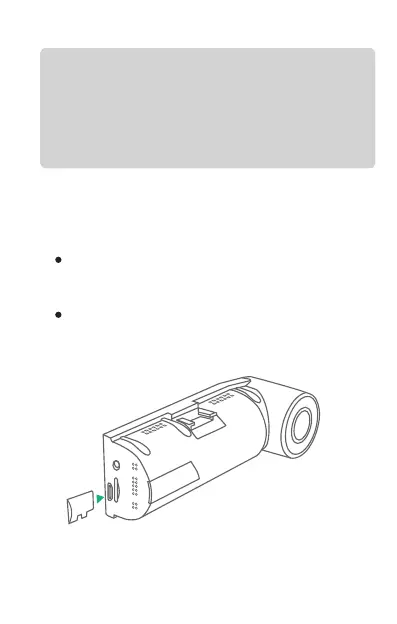
3.2 Installing a Memory Card
Please use a genuine micro SD memory card from
8GB to 128GB with a speed rating of class 10 or
higher. Carefully insert the memory card into the
camera’s card slot until it clicks. To remove the
card, power off the camera first, then push the
card into the slot until it clicks again.
Before using the card, please format it correctly
using these steps:
; if the
camera is recording video, press confirm
button to stop the recording
Press the DOWN button to highlight the
Format option, press UP or Down button
to Confirm or cancel the format.
Press MENU button to enter setup
GPSTF
USB
REMINDER:
1. Ideally, the Micro SD card should be formatted
every 2 weeks to maximize the lifetime of the
memory card.
SD
8GB



 To Next Page