EasyManua.ls Logo

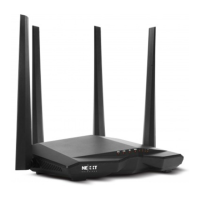
Nexxt ARN04904U2 - User Manual

Nexxt ARN04904U2
15 pages
Print Icon
To Next Page IconTo Next Page
Loading...
Model: ARN04904U2
Nebula1200-AC
DUAL BAND AC WIRELESS ROUTER
WARRANTY
Must register at:
nexxtsolutions.com/warranty
YEAR
*
*
SPEEDS
1200
Mbps
WIRELESS
COMBINED
ULTIMATE RANGE
Versión 11-16-2016
Question and Answer IconNeed help?

Do you have a question about the Nexxt ARN04904U2 and is the answer not in the manual?

Summary

Preliminary Steps

Product Layout Overview

LED Indicators

Explains the status and meaning of router LED indicators for network activity and connection status.

Front Panel Components

Identifies the LEDs and buttons on the front panel of the wireless router for status monitoring.

Rear Panel Ports

Details the physical ports on the rear panel, including WAN, LAN, and power connections.

Hardware Installation

Determine Optimum Location

Guidance on selecting the best placement for the router within the wireless network.

Connect Modem and PC

Steps for connecting the internet modem and a computer to the router using Ethernet cables.

Connect Power Adapter

Instructions for connecting the router to a power source via the supplied adapter.

Router Configuration

Access Web Interface

Instructions on how to access the router's web interface using a browser.

Quick Setup Wizard

Utilizing the wizard for initial internet and wireless settings configuration.

Configure Wireless Settings

Setting up Wi-Fi name (SSID), password, and transmit power for the router.

Connecting to Wi-Fi

Connect via Windows 10

Step-by-step guide to connect a Windows 10 device to the wireless network.

Nexxt Wi-Fi App Setup

Install and Open App

Instructions for downloading and launching the Nexxt Wi-Fi mobile application.

Create User Account

Steps for registering a new account to manage the router remotely via the app.

Link Router to Account

Process of connecting the Nebula 1200-AC router to the Nexxt Wi-Fi app account.

Nexxt Wi-Fi App Features

App Features Overview

Details on features like speed monitoring, QoS, parental controls, and guest access.

Administration Menu

Options for managing wireless settings, login password, internet, and software updates.

FCC Statement

Summary

Preliminary Steps

Product Layout Overview

LED Indicators

Explains the status and meaning of router LED indicators for network activity and connection status.

Front Panel Components

Identifies the LEDs and buttons on the front panel of the wireless router for status monitoring.

Rear Panel Ports

Details the physical ports on the rear panel, including WAN, LAN, and power connections.

Hardware Installation

Determine Optimum Location

Guidance on selecting the best placement for the router within the wireless network.

Connect Modem and PC

Steps for connecting the internet modem and a computer to the router using Ethernet cables.

Connect Power Adapter

Instructions for connecting the router to a power source via the supplied adapter.

Router Configuration

Access Web Interface

Instructions on how to access the router's web interface using a browser.

Quick Setup Wizard

Utilizing the wizard for initial internet and wireless settings configuration.

Configure Wireless Settings

Setting up Wi-Fi name (SSID), password, and transmit power for the router.

Connecting to Wi-Fi

Connect via Windows 10

Step-by-step guide to connect a Windows 10 device to the wireless network.

Nexxt Wi-Fi App Setup

Install and Open App

Instructions for downloading and launching the Nexxt Wi-Fi mobile application.

Create User Account

Steps for registering a new account to manage the router remotely via the app.

Link Router to Account

Process of connecting the Nebula 1200-AC router to the Nexxt Wi-Fi app account.

Nexxt Wi-Fi App Features

App Features Overview

Details on features like speed monitoring, QoS, parental controls, and guest access.

Administration Menu

Options for managing wireless settings, login password, internet, and software updates.

FCC Statement

Nexxt ARN04904U2 Specifications

General IconGeneral
ModelARN04904U2
Antenna TypeExternal
Frequency Bands2.4GHz
Maximum Wireless Speed1200Mbps
Ethernet Ports4
SecurityWPA2
Antennas4
Wireless StandardIEEE 802.11ac/n/g/b

Related product manuals