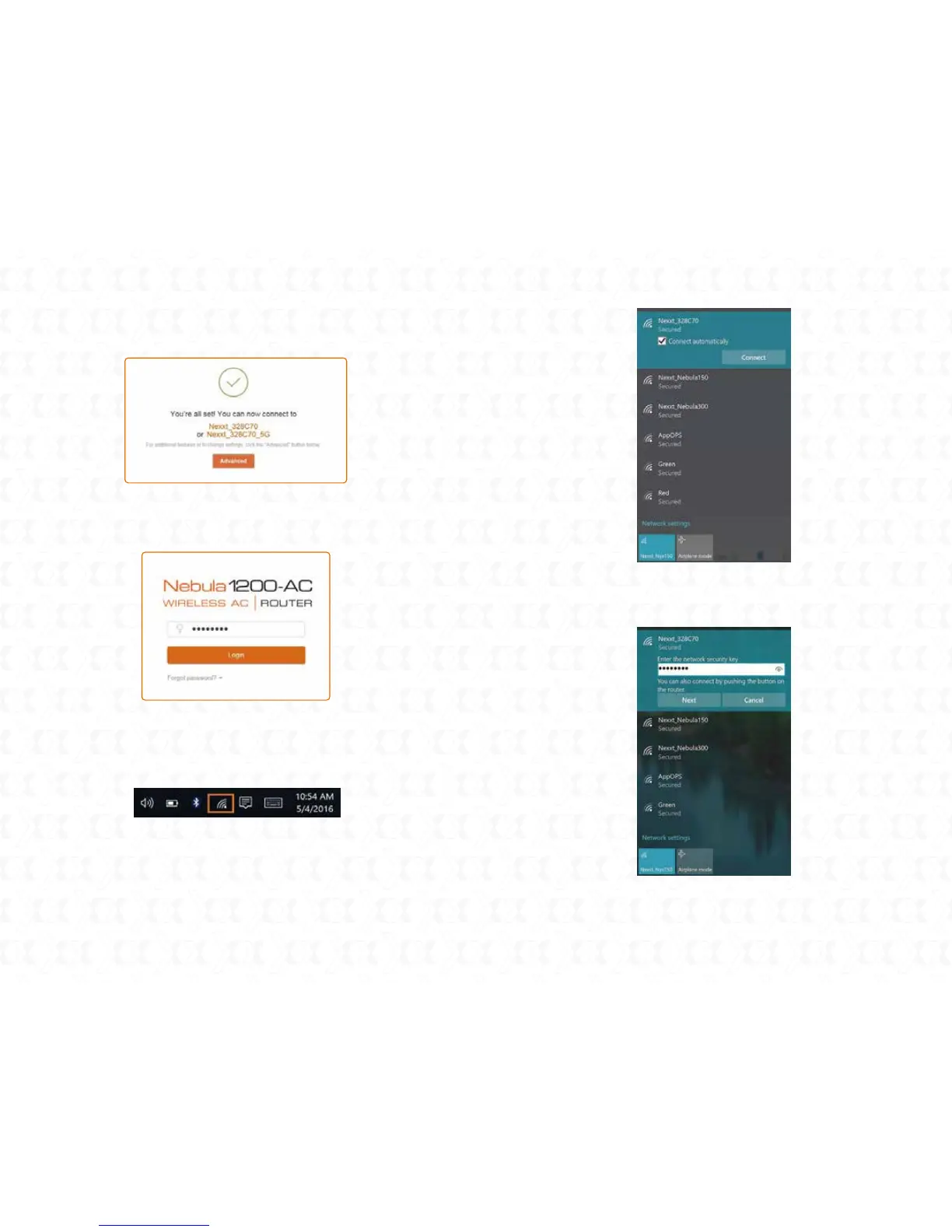
To connect to the router wirelessly, click on the wireless icon on
your taskbar.
5. Connecting to Wi-Fi using Windows 10
1.
Proceed to select the Wireless network followed by Connect. By
default, the wireless SSID is Nexxt_XXXXXX (whereby “x“ represents
the last digits of the MAC address).
2.
Once done, the message stating that the setup is complete will be
displayed. To configure additional settings, the user can click on the
Advanced option, as illustrated below.
5.
The next time you access the web interface through nexxtwifi.com
or 192.168.0.1, the default Login screen will be displayed. The
default user name and password is admin.
6.
Enter the user defined or preassigned password, if any, and click on
Next to continue.
3.
If connection is successfully established, the Connected message
will come up on the screen.
4.


 To Next Page