Nexxt Solutions – Wireless-N 3G router
80
15. System Tools
15.1 Time settings
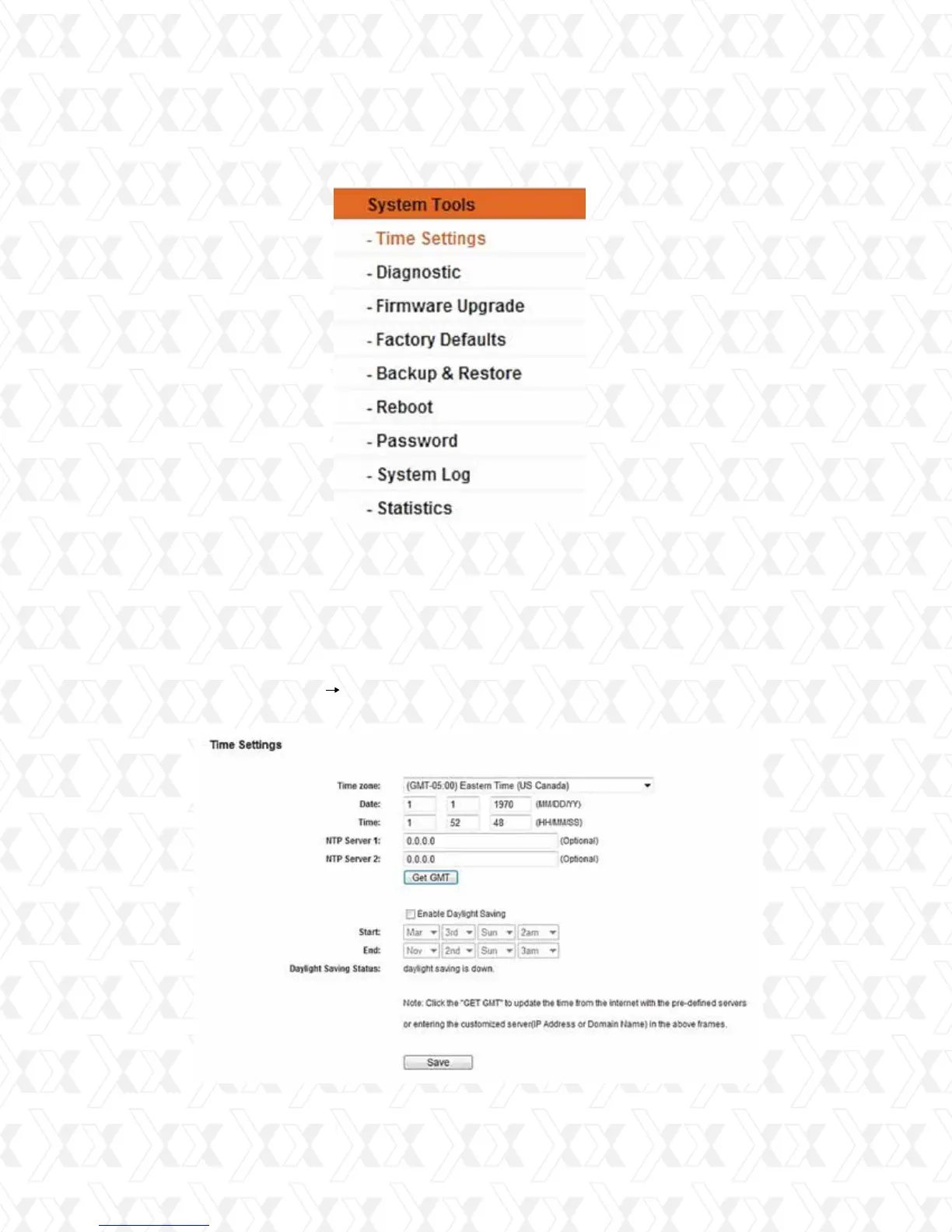
Figure 15-1 System Tools menu
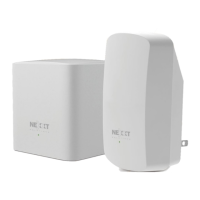
Figure 15-2 Time settings
Go to System Tools in order to display the submenus under the main menu: Time Settings,
Diagnostic, Firmware Upgrade, Factory Defaults, Backup & Restore, Reboot, Password,
System Log and Statistics. Click on any of these items in order to configure the
corresponding function. You will find detailed descriptions for each of these items below.
Go to menu System tools Time setting, in order to configure the time on the following
screen.


 To Next Page