
 Need help?
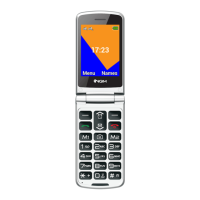
Do you have a question about the NGM Facile UP and is the answer not in the manual?
Guide to inserting SIM cards into the phone slots for operation.
Instructions for inserting a micro-SD memory card for enhanced storage.
Steps for correctly inserting the lithium-ion battery into the device compartment.
Procedures for charging the phone's battery using the provided adapter and cable.
How to turn the phone on/off and manage automatic keypad locking via the flip.
Overview of accessing and navigating the phone's main menu options using selection keys.
Steps for initiating, answering, and managing phone calls using the keypad and call keys.
Managing contacts, adding new entries, and calling from the phonebook.
Accessing and reviewing missed, received, and outgoing call history.
Composing, sending, and reading text messages using the phone's messaging interface.
Instructions for enabling or disabling SIM cards separately in settings.
Setting up speed dial numbers and checking available memory on the phone and SIM cards.
Activating and using the dedicated SOS key for emergency calls and personalized messages.
Adjusting ringtones, alert types, and volumes for calls and messages via settings.
Resetting the phone to its original factory settings using a password.
Tuning into and operating the FM radio function, including channel selection and volume control.
 General
| Brand | NGM |
|---|---|
| Model | Facile UP |
| Category | Cell Phone |
| Language | English |

 To Next Page