This method of connection allows your main speakers to receive the full-range audio signal (no high-pass filtering), and the subwoofer
to be utilized for low bass extension only.
1) Your L & R speakers are connected directly from your amplifier / receiver.
2a) If you have a receiver with “Pre-Out” (or “Line Out”) jacks but no “Main-In,” you may connect the SubOne i Controller from the “Pre-
Out” without having to route the signal back into the receiver. Using an RCA interconnect cable, connect the “Pre-Out” to the SubOne
i Controller’s LINE IN.
2b) If you have a separate preamplifier and amplifier, and the preamplifier has two pairs of “Line Out” jacks, connect one pair directly to
your main amplifier, and the second pair to the SubOne i Controller’s LINE IN. If your preamplifier has only one pair of “Line Out” jacks,
you may utilize two “Y”-splitters to send the line-level signal into both the main amplifier and the SubOne i Controller.
3a) Many integrated amplifiers and receivers feature a “Subwoofer Out” or “LFE Out” jack. If your receiver’s “Subwoofer Out” consists
of a single RCA jack, you should plug it into the LFE IN jack on the SubOne i Controller.
3b) Check your receiver’s owner’s manual to see if the “Subwoofer Out” signal is full-range or low-pass filtered. On many Dolby Digital
5.1-channel receivers, the low-pass is built-in at a certain frequency (80Hz, for example), which means the signal coming out this jack
has already passed through an internal filter in the receiver. If possible, bypass the low-pass filter in the receiver. Otherwise, be sure
to set the SubOne i low-pass filter at its highest point (180Hz) to avoid having two low-pass filters affect the signal.
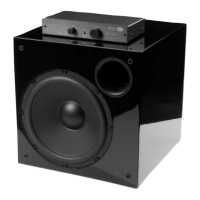
4) Connect the SubOne i Controller SUBWOOFER OUTPUT to the SubOne i input terminal with the supplied RCA cable.
5) See page 6 for instruction on using the LFE Input and LFE Gain control
Connect the SubOne i Controller from a receiver / preamplifier’s “Subwoofer (LFE) Out,” “Pre-Out” or “Line Out”
with no high-pass filtering
Use if:
You wish to run your L & R speakers full-range
You have a receiver with “Subwoofer (LFE) Out” jacks
You have a receiver with “Pre-Out” jacks but no “Main-In” jacks
SubOne i Connection Method #2
9
SubOne i Connection Method #2


 To Next Page