KEY FUNCTION:
SET
MODE
. Each time you press it, it will switch to the next mode, and when SCAN,
the current function will be locked.
. There will be a "BI "sound prompt every time you press a button.
. Press and hold for 2 seconds to reset to zero and restart the machine.
. In MODE/SET state, press once to clear the current data.
RESET
. In setting mode, press RESET key once to reset the current function figures.
. Press RESET key and hold for 4 seconds to reset all function figures.
DESCRIPTION
OPERATION PROCEDURE
POWER ON
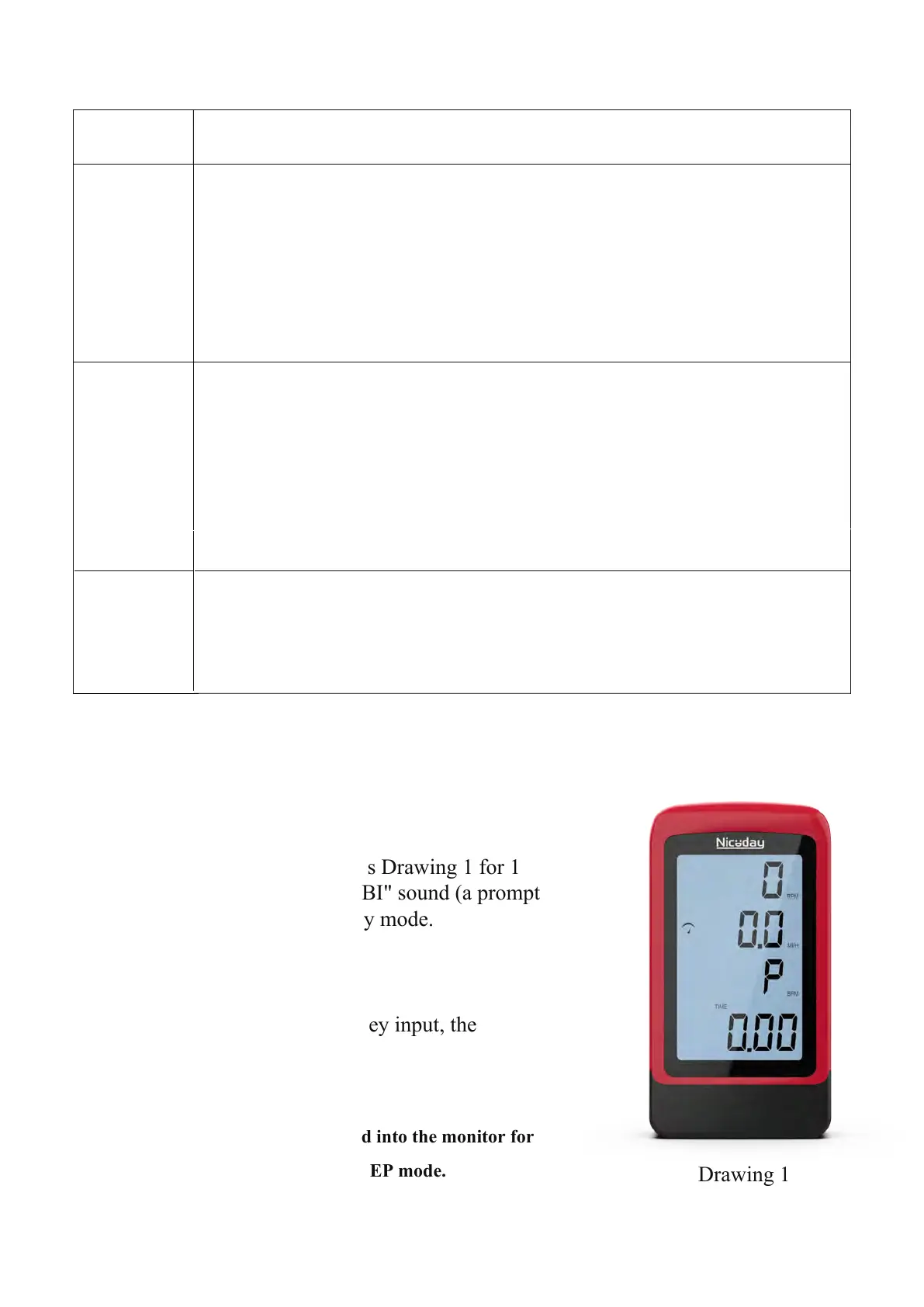
. LCD will display all segments as Drawing 1 for 1
second and there will be a long "BI" sound (a prompt
tone), and it will enter the standby mode.
POWER OFF
. When there is a signal input or key input, the
monitor WAKE UP.
Without any signal being transmitted into the monitor for
4 minutes the monitor will enter SLEEP mode.
. Press SET key to increase value. Press and hold the key to increase value faster.
. TIME setting range: 00:00~99:00 (Each increment is 1:00)
. CAL setting range: 0~9999 (Each increment is 10)
. DIST setting range: 0.00~99.50 (Each increment is 0.5)
. Pulse setting range: 30~0~230 (Each increment is 1)
Drawing 1
16


 To Next Page