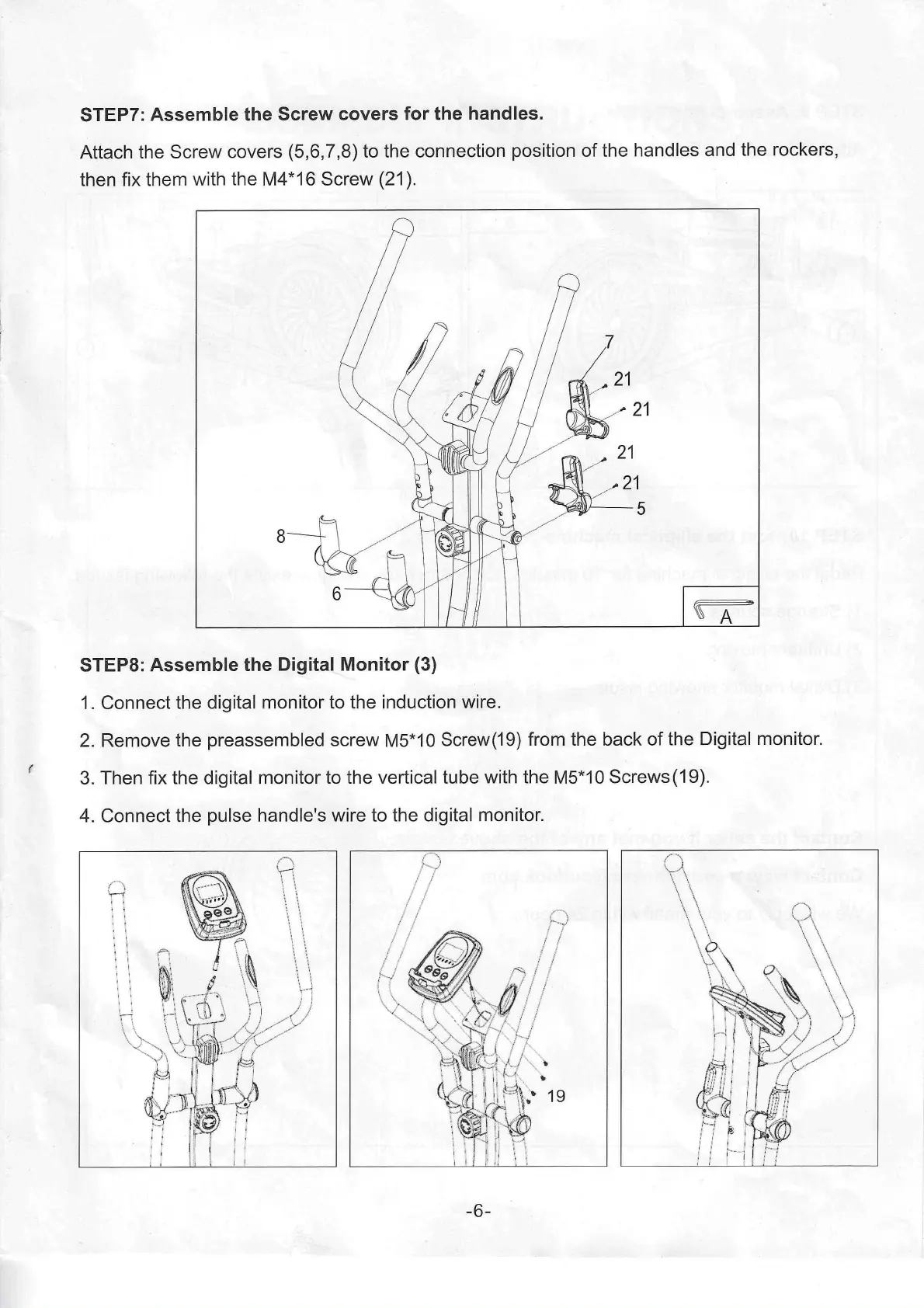
STEP7: Assemble the Screw covers for the handles.
Attach the Screw covers (5,6,7,8) to the connection position of the handles and the rockers,
then fix them with the M4*16 Screw (21 ).
21
21
21
STEP8: Assemble the Digital Monitor (3)
1. Connect the digital monitor to the induction wire.
2. Remove the preassembled screw M5*10 Screw(19) from the back of the Digital monitor.
3. Then fix the digital monitor to the vertical tube with the M5*10 Screws (19).
4. Connect the pulse handle's wire to the digital monitor.
r
-6-


 To Next Page