
 Need help?
Do you have a question about the NICEDAY CT11 and is the answer not in the manual?
Covers reading manual, doctor consultation, body signals, pets, securing parts, floor, screws, user limits, clothing, moving parts, storage, and intended use.
Lists all parts with names, numbers, quantities, and notes pre-assembled bolts for easy inventory.
Connects front and rear leg tubes to the mainframe using M10*70 bolts for structural integrity.
Unfolds the vertical tube and inserts it into the base tube, securing it with Bolt A.
Locks the vertical tube using M8*78 Bolt and M8*20 Screws, emphasizing thorough tightening to prevent noise.
Fixes the decorative cap to the mainframe and inserts the sealing ring for a finished look.
Attaches the pulse handle to the vertical tube with M8*30 Screw and the screw cover.
Attaches the left and right main handles to the rockers using M8*42 Bolts for ergonomic grip.
Attaches screw covers to handle connection points and secures them with M4*16 Screws.
Connects, fixes the digital monitor to the vertical tube, and connects the pulse handle wire.
Attaches the left and right pedals to the pedal support tube using M8*42 Bolts securely.
Tests the machine for 10 minutes checking for strange sounds, unfluent movement, or monitor issues.
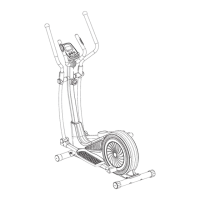
Provides a visual representation of all parts and their assembly points for the elliptical trainer.
Explains MODE, SET, RESET buttons and how to set exercise time goals for personalized workouts.
Details SCAN, TIME, SPEED, and DIST modes, explaining the data displayed during exercise.
Explains CAL, ODO, PULSE modes, pulse measurement, ALARM, AUTO ON/OFF, and data reset functions.
 General
| Brand | NICEDAY |
|---|---|
| Model | CT11 |
| Category | Elliptical Trainer |
| Language | English |

 To Next Page