SOLAR CHARGE CONTROLLER
3
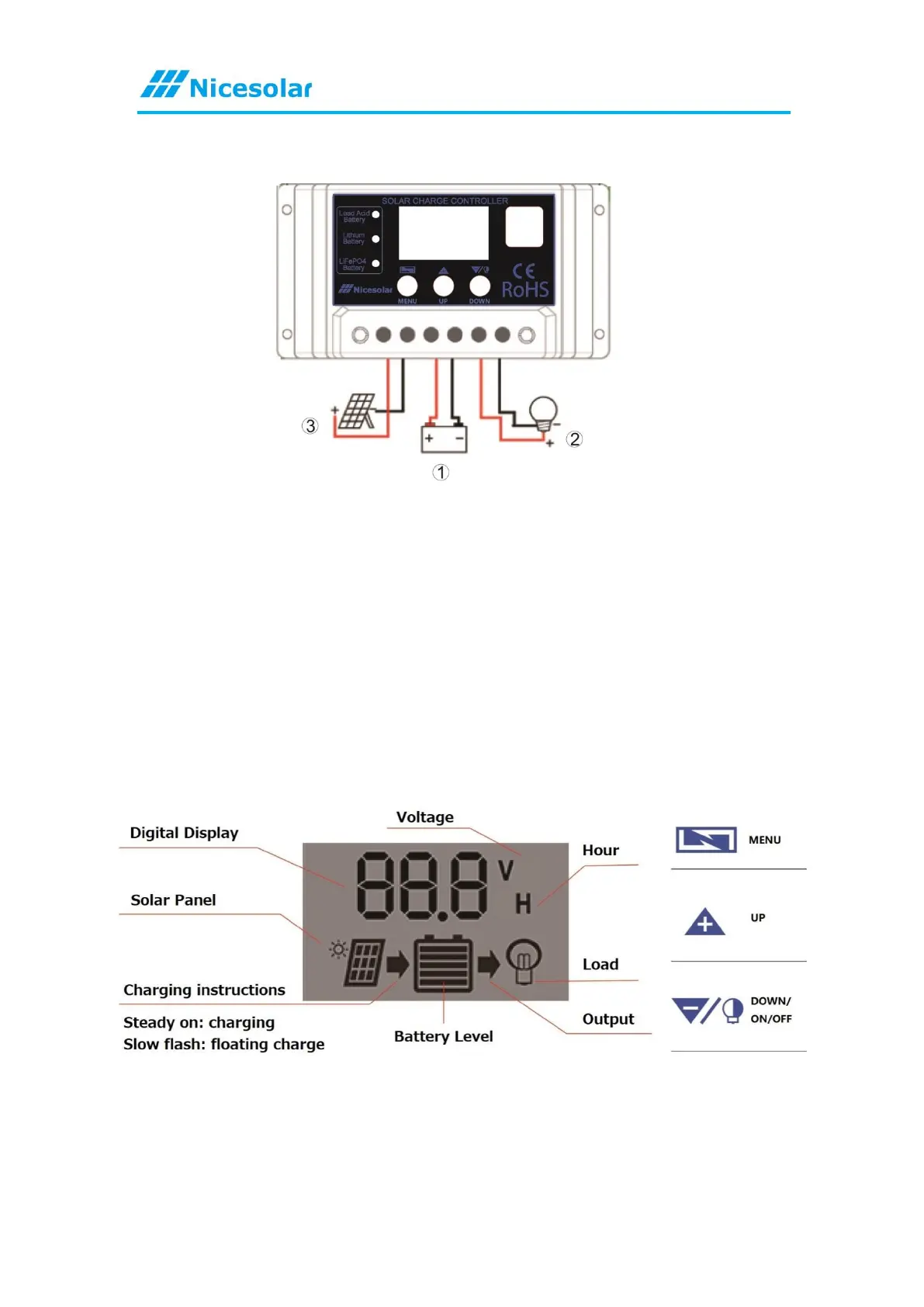
SYSTEM CONNECTION
1. Connect the positive and negative poles of the battery to the solar controller as
shown in the figure, and the controller will automatically detect the voltage of the
battery.
2. Connect the positive and negative poles of the load to the solar controller as
shown; be careful not to connect them in reverse.
3. Connect the solar panel to the controller as shown in the figure.
4. Please install this installation step strictly; incorrect sequence steps may damage
the controller!
5. The disassembly sequence is opposite to the installation sequence.
LCD DISPLAY/KEY
MENU: Switch between different displays or enter/exit the setting with a long press.
UP: Press to increase the value.
DOWN: Press to decrease the value.



 To Next Page