SOLAR CHARGE CONTROLLER
4
LCD DISPLAY/SETTING
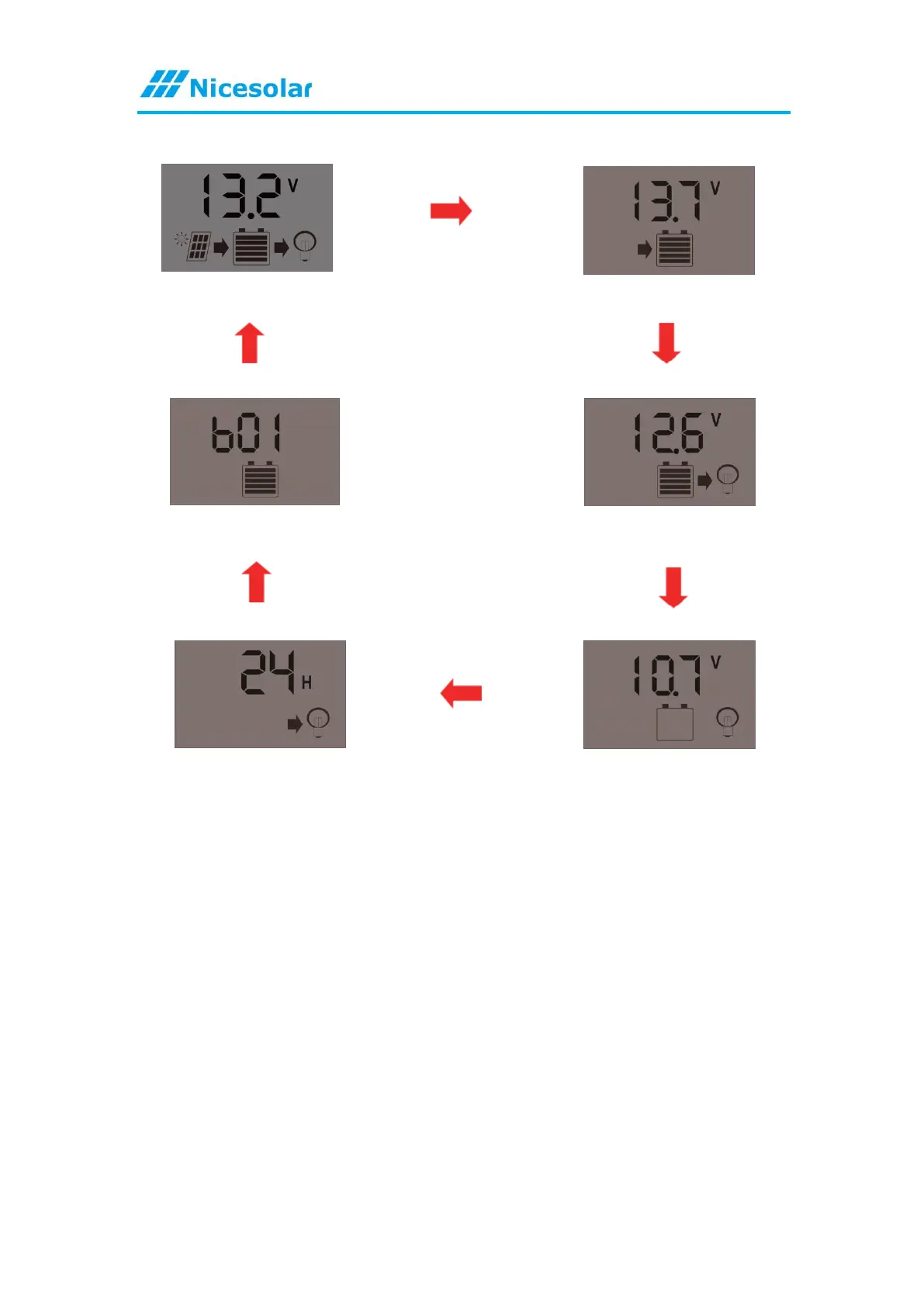
① Main Interface ②Float Voltage
⑥ Battery Type ③Discharge Recovery
⑤ Load Working Mode ④Discharge Stop
Browsing Interface:Press MENU to browse different interface.
Set parameter:
In interface 2-5, press and hold [UP] for 5 seconds to restore the default value,
press and hold [MENU] for 5 seconds, and enter the manual setting, the number will
flash at this time, press [UP] or [DOWN] to adjust the parameter value, parameter
After the setting is completed, long press [MENU] for 5S to exit the setting
LOAD WORKING MODE SETTINGS:
1. Press the [DOWN] button to ON/OFF load manually at main display.
2. The work mode is working as below.
[24H] Load output 24 hours
[1-23H] Load on after sunset and dose after setting hours.
[0H] Dusk to dawn



 To Next Page