Part # M017879450000 REV. July 1, 2011
ECOTECH EZ
TM
Variable Speed Motor/Control
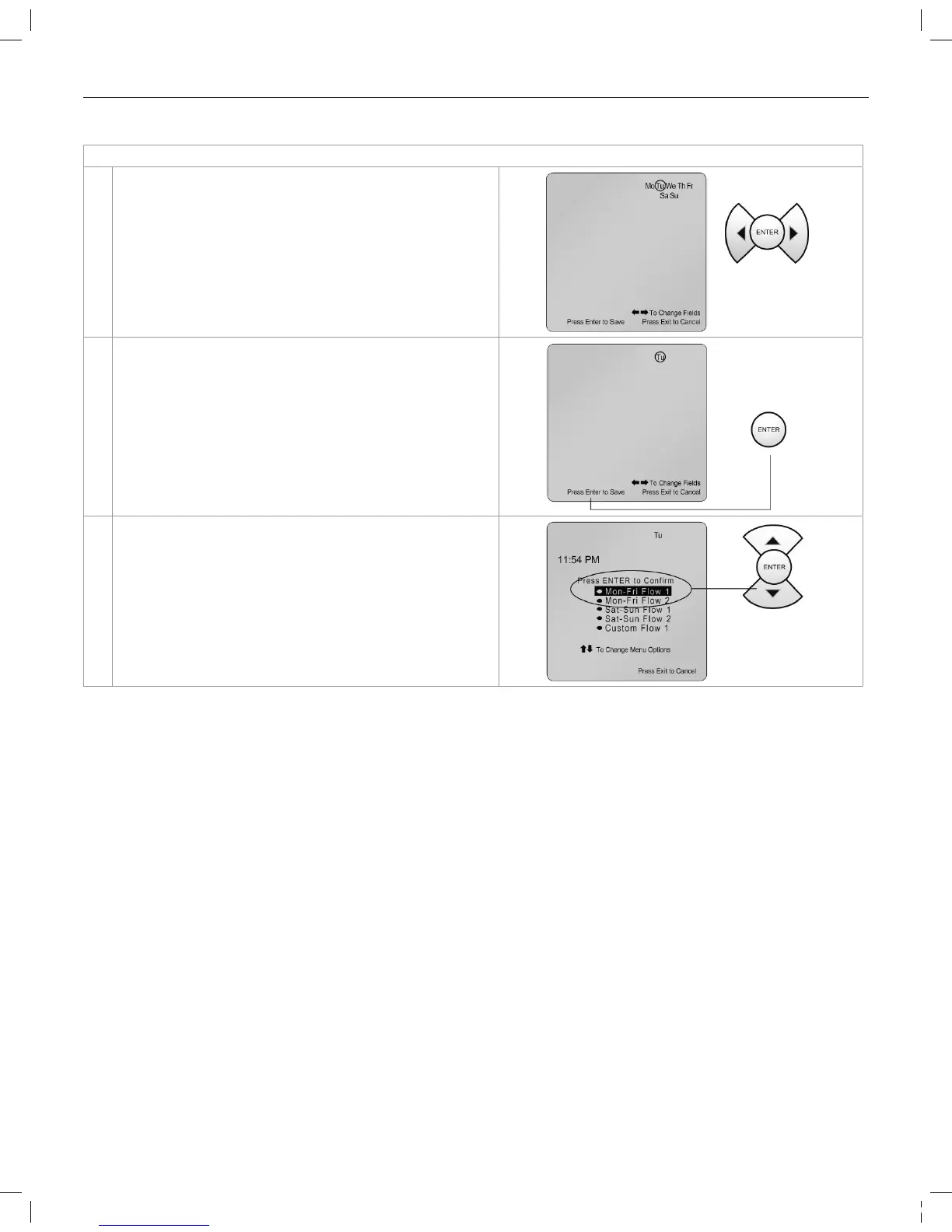
1. Use the (right arrow) and (left arrow) to move through
the days of the week.
2. To save the day you have chosen, press Enter. You are
now back to the Menu Options mode and the Mon-Fri
Flow 1 icon will be ashing. If you would like to change
or set the Mon-Fri Flow 1 program, press ENTER and
refer to Section C below. If not, proceed to # 3 below.
3. Press Exit to run the stored program. Ensure the RUN/
STOP button is lit to run the program.
315612_MNJ26_VAR SPD_nonSRVS.indd 14 7/19/11 8:01 AM


 To Next Page