Using iView
8-6 Manual # 42-02-7223 C1
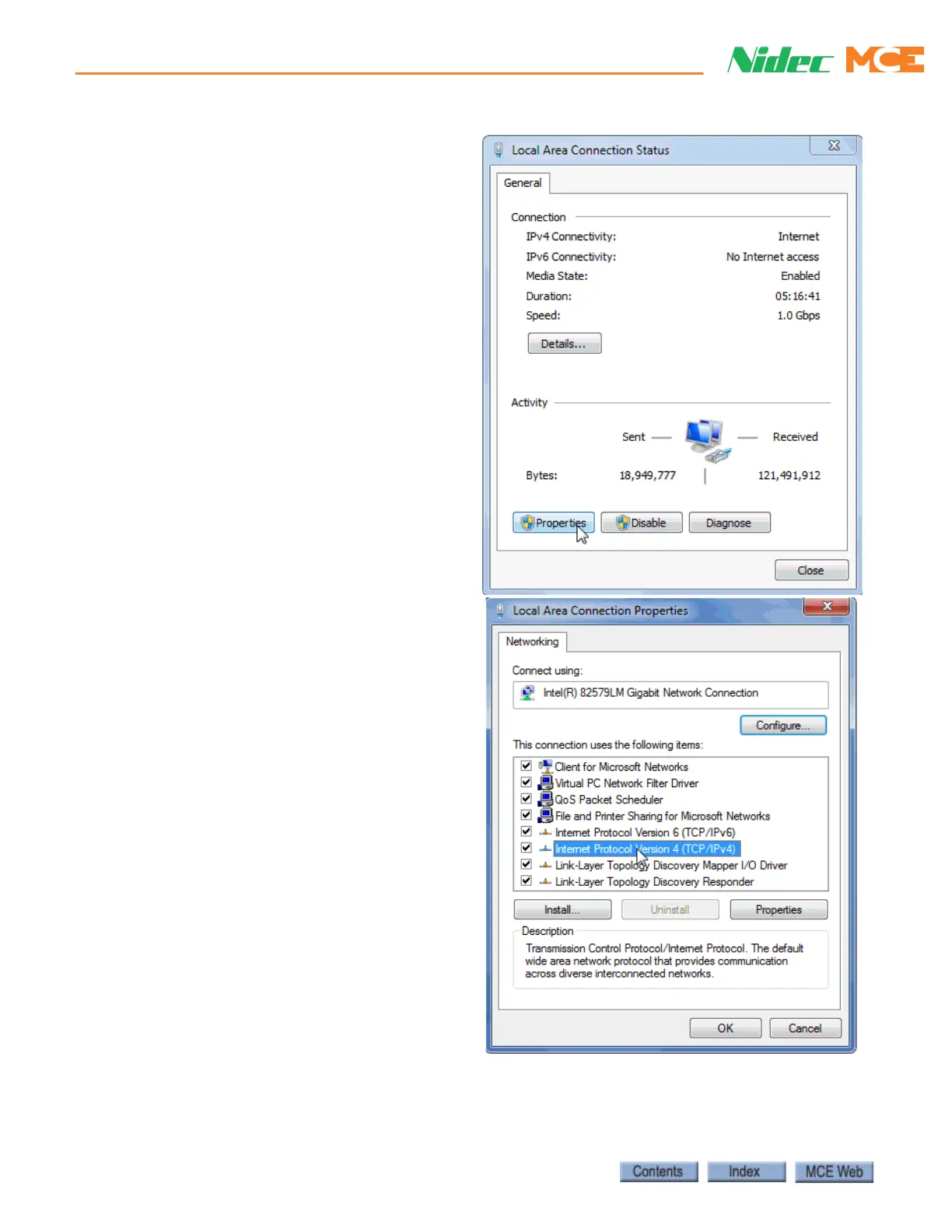
6. Click Properties to open the Local
Area Connection Status dialog.
7. In the Local Area Connection
Properties dialog, select Internet
Protocol (TCP/IPv4).
8. Click Properties to open the
Internet Protocol (TCP/IPv4)
Properties dialog



 To Next Page