Using iView
8-10 Manual # 42-02-7223 C1
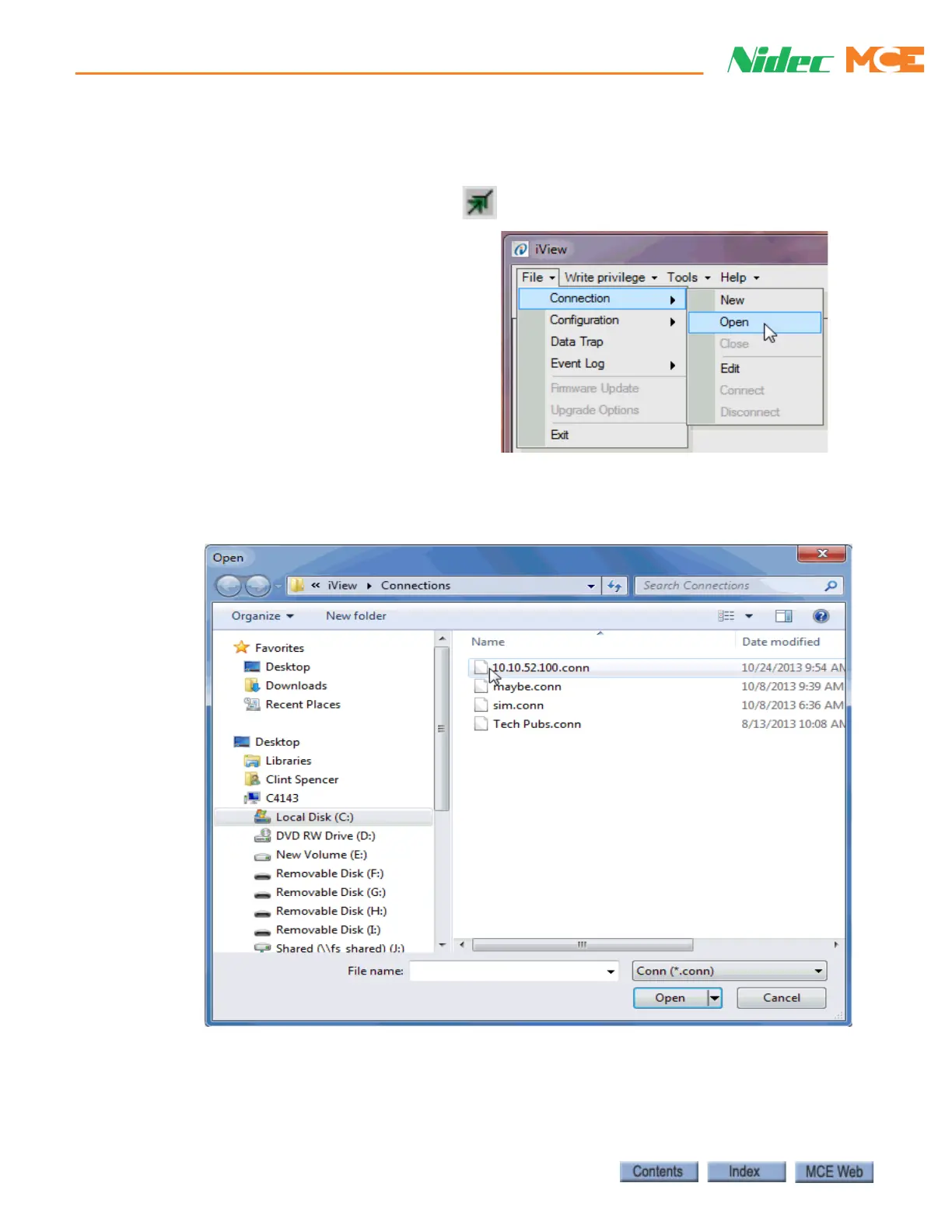
Connecting to the iBox Once the connection is created and saved, you are ready to
connect.
1. Click the Open Connection button
2. or click File on the menu bar, select
Connection and click Open. The
Open dialog appears.
3. To connect to a controller, double click the desired connection or select the connection
and click Open.
4. If there is a problem making the connection, you can “ping” the address using the iView
PC (see “Pinging” on page 5-11).



 To Next Page