EasyManua.ls Logo

NightStick USB-558XL - User Manual

NightStick USB-558XL
2 pages
Print Icon
To Next Page IconTo Next Page
Loading...
Instruction Manual
USB-558XL
US PATENT 9,713,217
Please read these instructions before using your USB-
558XL. They include important safety and operation information.
WARNINGS
y Lithium-ion batteries must be used and charged properly.
Improper use can result in serious injury, fi re, or death.
y NOT FOR USE IN HAZARDOUS LOCATIONS. Do not
use this product in explosive atmospheres, near  ammable
liquids, or where explosion proof or intrinsically safe
lighting is required.
y DO NOT use this product in the proximity of vehicles or
equipment when there is a risk of  ammable liquids coming
into contact with the  ashlight.
y Light can become hot while on. To prevent damage
DO NOT cover or place next to any potentially ammable
materials while in use.
y Do not leave the battery in direct sunlight or use or store
the battery inside cars in hot weather.
y Do not expose the battery to water or salt water, or allow
the battery to get wet.
y Do not store the battery with metallic objects that may
cause a short circuit.
y Immediately discontinue use of the battery if the battery
emits an unusual smell, feels hot, changes color, changes
shape or appears abnormal in any way.
y Keep out of the reach of children.
STROBE WARNING
Exposure to strobing lights may cause dizziness,
disorientation, and nausea. A very small percentage
of people suffer from photosensitive epilepsy and may
experience seizures or blackouts triggered by strobing lights.
For more information from the Epilepsy Foundation about
photosensitivity and seizures, please visit www.epilepsy.
com. Anyone who has had symptoms linked to this condition
should consult a doctor before using this product.
INITIAL USE
Fully charge the USB-558XL before the rst use, or if the
battery is new or has been unused for several months. The
maximum charge time required is approximately 6 hours.
CHARGING THE LIGHT
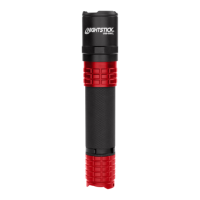
The Micro USB Charging Port is inside of the rotating
sleeve located below the head of the light.
Open Rotating Sleeve
y Expose the Micro USB Charging Port by twisting the
sleeve and rotating it to the left.
y Continue rotating the sleeve and slide it downward on
the handle.
Plug into USB port to charge
The light ships with a Micro USB to USB Charging Cable.
It can be charged using any of the following methods:
y USB Port on a computer (NOTE: Charging times vary
depending on the computer)
y USB port in vehicles
y USB Vehicle charger for cigarette lighter port (not
included)
y USB Compliant AC to DC USB wall charger similar to
ones used with most Cell Phones (not included)
The typical charge time is approximately 3 hours. Actual
time may vary depending on the remaining charge in the
battery and method of charging. Ambient temperature can
also effect charging time.
The charge indicator light located directly above the
charging port will turn red while the charging and green when
fully charged.
Close Rotating Sleeve
y Cover the Micro USB Charging Port by twisting the
sleeve and rotating it to the right.
y Continue rotating the sleeve and slide it upward on the
handle.
WARNING: When the Rotating Sleeve is open, the light is
no longer IP-X7 Waterproof
OPERATION
The USB-558XL has ve light modes: momentary
ashlight, full brightness ashlight, medium brightness
ashlight, low brightness  ashlight and strobe. The light has
a single tail switch providing access to all modes.
MOMENTARY FLASHLIGHT MODE
Lightly press the tail switch for momentary operation.
Release the switch to turn the light off.
CONSTANT-ON
Press the tail switch until it clicks and then release for
constant-on in high-brightness mode. Press and release the
tail switch again to turn the light off.
SELECT BRIGHTNESS LEVEL
Press and hold down the tail switch. The light will cycle
from high to medium to low and then back up again at a
rate of approximately one mode per second. The light will
continue to cycle up and down through the various modes
as long as the tail switch is held down. When the desired
brightness level is reached, simply release the tail switch,
and the light will remain in that brightness mode. Pressing
and holding the tail switch again will cause the light to cycle
from whatever mode it is currently in. Press and release the
tail switch to turn the light off.
Question and Answer IconNeed help?

Do you have a question about the NightStick USB-558XL and is the answer not in the manual?

Summary

Initial Use and Charging

Initial Use

Fully charge the USB-558XL before the first use or if unused for several months.

Charging the Light

Charge via Micro USB port; approx. 6 hours max charge time.

Open Rotating Sleeve

Expose Micro USB port by twisting sleeve left and sliding down.

Plug into USB Port to Charge

Charge via computer, vehicle, or AC adapter using Micro USB cable.

Close Rotating Sleeve

Cover Micro USB port by twisting sleeve right and sliding up.

Operation Modes

Momentary Flashlight Mode

Lightly press tail switch for momentary on/off.

Constant-On

Click tail switch for constant high brightness. Release again to turn off.

Select Brightness Level

Hold tail switch to cycle brightness levels. Release to select.

Safety Precautions

General Safety Warnings

Lithium-ion battery safety, hazardous location use, flammables, heat, water, short circuits, child safety.

Strobe Warning

Exposure to strobing lights may cause dizziness, disorientation, and nausea.

Strobe Function and Battery Options

Strobe Function Operation

Rapidly double-click tail switch to activate strobe from any mode. Press body switch to turn off.

CR-123 Battery Carrier Use

Converts USB-558XL for non-rechargeable Lithium battery operation. Cannot charge with carrier installed.

Overview

The Nightstick USB-558XL is a versatile flashlight designed for various lighting needs, offering multiple modes and power options. It is a robust device, as indicated by its IP-X7 waterproof rating when the rotating sleeve is closed, making it suitable for use in challenging environments, though this rating is compromised when the charging port is exposed. The device is powered by a rechargeable Lithium-ion battery, with an alternative power option using a CR-123 battery carrier for non-rechargeable Lithium battery operation.

Function Description:

The USB-558XL serves as a multi-mode flashlight, providing five distinct lighting modes: momentary flashlight, full brightness, medium brightness, low brightness, and strobe. This range of modes allows users to select the appropriate light intensity for different situations, from general illumination to signaling or disorienting. The momentary flashlight mode offers quick, temporary light, while the constant-on modes provide sustained illumination at various brightness levels. The strobe function is a specialized mode that can be used for signaling or self-defense, but users are cautioned about potential photosensitive reactions.

Important Technical Specifications:

  • Battery Type: Rechargeable Lithium-ion battery (primary) or two non-rechargeable CR-123 Lithium batteries (with carrier).
  • Charging: Micro USB charging port.
  • Charging Time: Approximately 3 hours for a typical charge, with a maximum of 6 hours for a full charge from a new or long-unused battery.
  • Waterproof Rating: IP-X7 when the rotating sleeve is closed (charging port covered).
  • Patent: US PATENT 9,713,217.

Usage Features:

The USB-558XL is operated via a single tail switch, which provides access to all its functions.

  • Momentary Flashlight Mode: A light press of the tail switch activates this mode. Releasing the switch turns the light off. This is useful for quick checks or brief illumination.
  • Constant-On Mode: Pressing the tail switch until it clicks and then releasing it activates the light in high-brightness mode. A subsequent press and release of the tail switch turns the light off.
  • Brightness Level Selection: To adjust brightness, the user presses and holds the tail switch. The light cycles through high, medium, and low brightness levels, and then back up again, at a rate of approximately one mode per second. Releasing the switch when the desired brightness level is reached locks the light into that mode. Pressing and holding the switch again will restart the cycling from the current mode.
  • Strobe Function: To activate the strobe, the user rapidly double-clicks the tail switch. This function can be engaged from any mode, including off. Pressing and releasing the body switch (not the tail switch, as indicated for other functions, suggesting a potential typo in the manual or a dedicated body switch for strobe) turns the strobe off.
  • CR-123 Battery Carrier: The device includes a carrier that allows the use of two non-rechargeable CR-123 Lithium batteries as an alternative power source. When using the CR-123 carrier, the positive terminals of the batteries must point in the direction of an arrow indicated on the carrier. It's important to note that the flashlight cannot be charged when the CR-123 CARRIER is installed.

Maintenance Features:

  • Initial Charge: Before first use, or after prolonged storage, the USB-558XL must be fully charged. The maximum charge time is approximately 6 hours.
  • Charging Process: The Micro USB Charging Port is located inside a rotating sleeve below the head of the light. To access it, the sleeve must be twisted and rotated to the left, then slid downward on the handle. The light can be charged using various USB power sources, including computer USB ports, vehicle USB ports, USB vehicle chargers for cigarette lighter ports (not included), and USB-compliant AC to DC USB wall chargers (similar to those used with cell phones).
  • Charge Indicator: A charge indicator light, located directly above the charging port, glows red during charging and turns green when the battery is fully charged.
  • Closing the Sleeve: After charging, the rotating sleeve must be twisted and rotated to the right, then slid upward on the handle, to cover the Micro USB Charging Port. This action restores the IP-X7 waterproof rating.

Safety Warnings and Precautions:

The manual emphasizes several critical safety warnings:

  • Battery Handling: Lithium-ion batteries must be used and charged properly to avoid serious injury, fire, or death.
  • Hazardous Locations: The product is NOT FOR USE IN HAZARDOUS LOCATIONS and should not be used in explosive atmospheres, near flammable liquids, or where intrinsically safe lighting is required.
  • Heat Generation: The light can become hot during operation. Users should NOT cover or place it next to potentially flammable materials while in use to prevent damage.
  • Environmental Exposure: Avoid leaving the battery in direct sunlight or storing it inside hot cars. Do not expose the battery to water or salt water, or allow it to get wet.
  • Short Circuits: Do not store the battery with metallic objects that could cause a short circuit.
  • Battery Malfunction: Discontinue use immediately if the battery emits an unusual smell, feels hot, changes color, changes shape, or appears abnormal.
  • Child Safety: Keep the device out of the reach of children.
  • Strobe Warning: Exposure to strobing lights can cause dizziness, disorientation, and nausea. A small percentage of people with photosensitive epilepsy may experience seizures or blackouts. Users with such symptoms are advised to consult a doctor before using the product.
  • Waterproof Warning: When the Rotating Sleeve is open (charging port exposed), the light is no longer IP-X7 Waterproof.

These detailed instructions and warnings ensure safe and effective operation of the Nightstick USB-558XL, highlighting its capabilities as a reliable lighting tool with user-friendly features and important safety considerations.

NightStick USB-558XL Specifications

General IconGeneral
BrandNightStick
ModelUSB-558XL
CategoryFlashlight
LanguageEnglish

Related product manuals