EasyManua.ls Logo

NIKKORMAT FT2 - Changing the Lens; Lens Mounting

NIKKORMAT FT2
32 pages
Print Icon
To Next Page IconTo Next Page
To Previous Page IconTo Previous Page
Loading...
CHANGIIUG
THE LENS
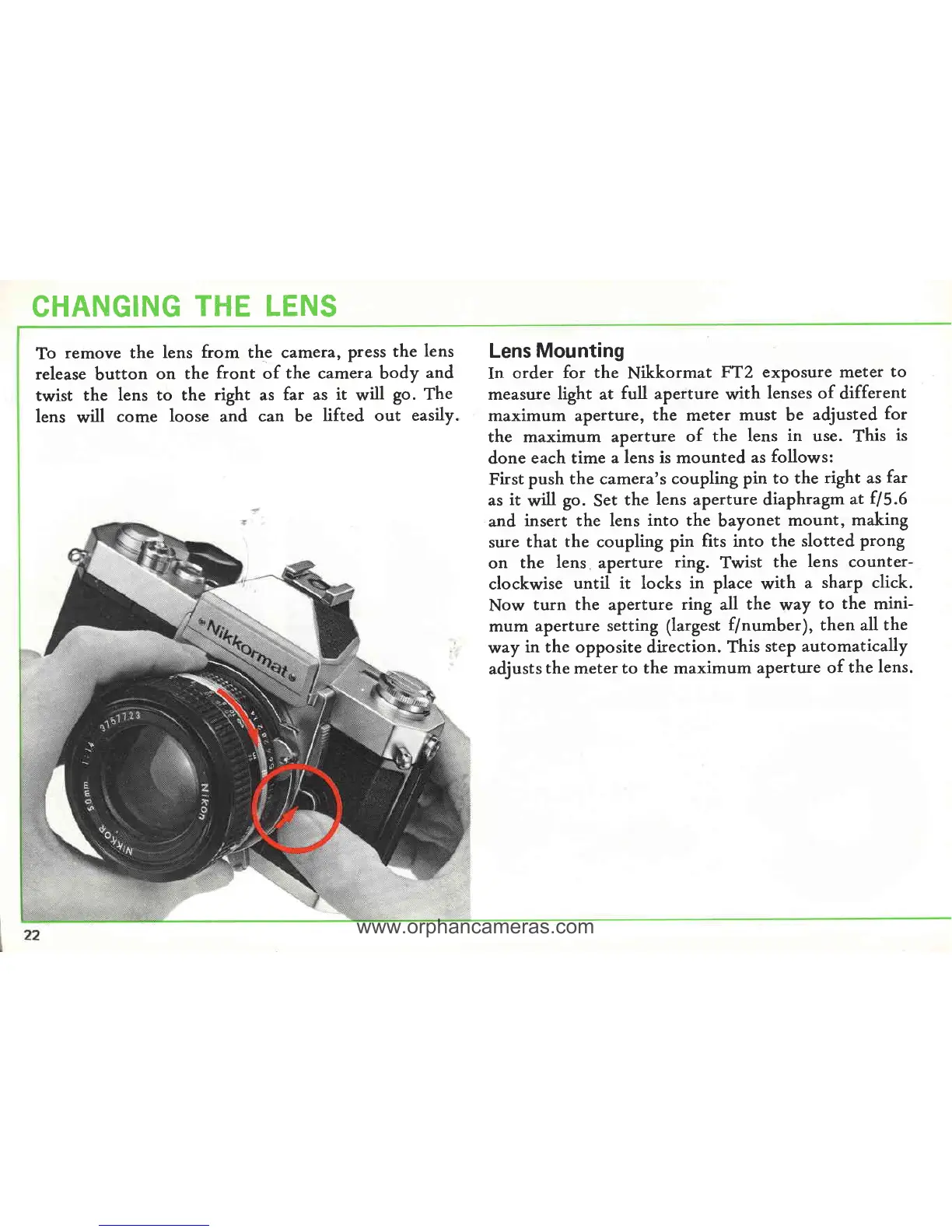
To
remove the
lens
from
the camera,
Press
the
lens
release
button
on the
front
of
the
camera body
and
twist
the
lens to the
right
as
far as
it
will
go.
The
lens
will
come
loose
and
can
be
lifted out
easily.
Lens
Mounting
In
order
for the
Nikkormat
FT2 exposure meter
to
measure
light
at
full
aperture
with
lenses of
different
maximum aperture,
the meter
must
be
adjusted
for
the maximum
aperture
of
the lens
in
use.
This
is
done
each time
a lens is mounted
as
follows:
First
push
the camera's
coupling
pin
to the
right as
far
as
it
will
go.
Set
the
lens
aperture diaphragm
at
f15.6
and
insert the lens
into
the
bayonet
mount,
making
sure
that
the
coupling pin
fits into the
slotted prong
on
the
lens
aperture
ring.
Twist
the
lens
counter-
clockwise
until it locks
in
place with
a
sharp click.
Now
turn
the aperture
ring
all
the
way
to
the
mini-
mum
aperture
setting
(largest
f/number),
then all
the
way
in the
opposite direction.
This
steP automatically
adjusts
the meter to the maximum
aperture
of
the
lens.
www.orphancameras.com