7
s
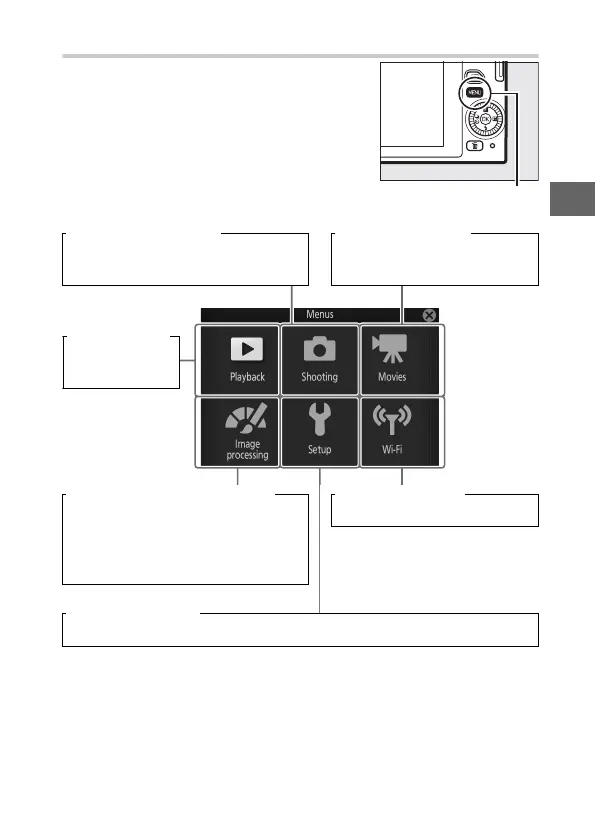
The G Button
Most shooting, playback, and setup
options can be accessed from the camera
menus. Press the G button to display
the menu selection dialog shown below,
then use the multi selector to highlight
the icon for the desired menu and press
J. To exit the menus, tap 1.
G button
Shooting menu (0 93): Movie menu (0 94):
Adjust settings for still photography. Adjust movie-recording
options.
Image processing menu (0 95): Wi-Fi menu (0 83):
Adjust white balance, ISO sensitivity,
Picture Controls, and other image
processing settings for photographs
and movies.
Connect to wireless networks.
Setup menu (0 96):
Adjust basic camera settings.
Playback menu
(0 92):
Adjust playback
settings.



 To Next Page