53
y
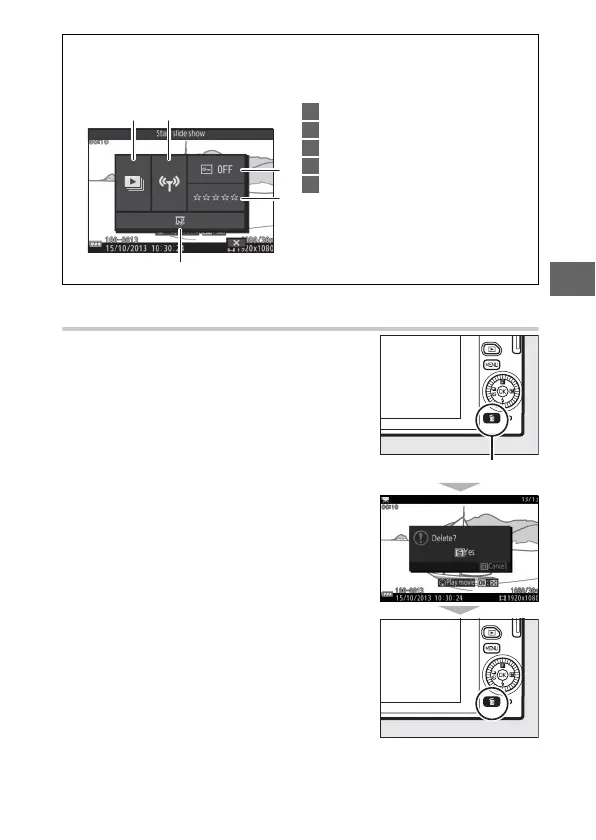
Deleting Movies
To delete the current movie, press O. A
confirmation dialog will be displayed;
press O again to delete the movie and
return to playback, or press K to exit
without deleting the movie. Note that
once deleted, movies can not be recovered.
A
The & (Feature) Menu (0 9)
The following options can be accessed by pressing & when a movie is
displayed:
1 Start slide show .................................. 92
2 Wi-Fi upload ........................................ 92
3 Protect................................................... 92
4 Rating.................................................... 92
5 Edit movie ............................................ 92
1 2
3
4
5
O button



 To Next Page