- 47 -
Step 6
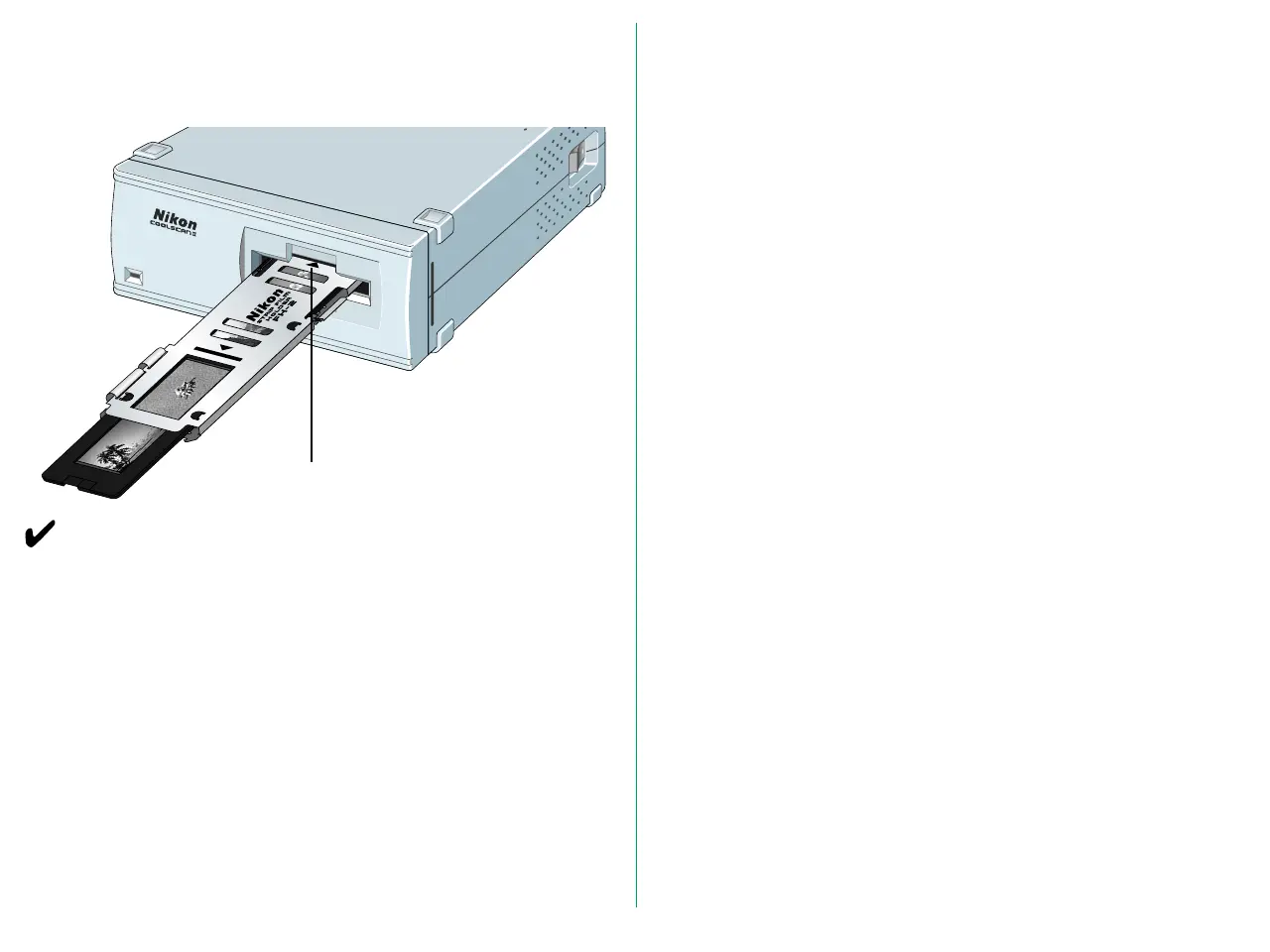
Insert the film holder until it touches the back of the stage and
is aligned with the edge of film slot, as shown.
Remarks
• Do not force the film holder into the scanner.
• Though the film holder is made of plastic, it will be damaged
if film is forced into it.
• Remove dust on the film or film holder with a blower or
photographic brush.
• Insert the film holder slowly.
Mark






 To Next Page