39
TUTORIAL—TAKING PHOTOGRAPHS
1
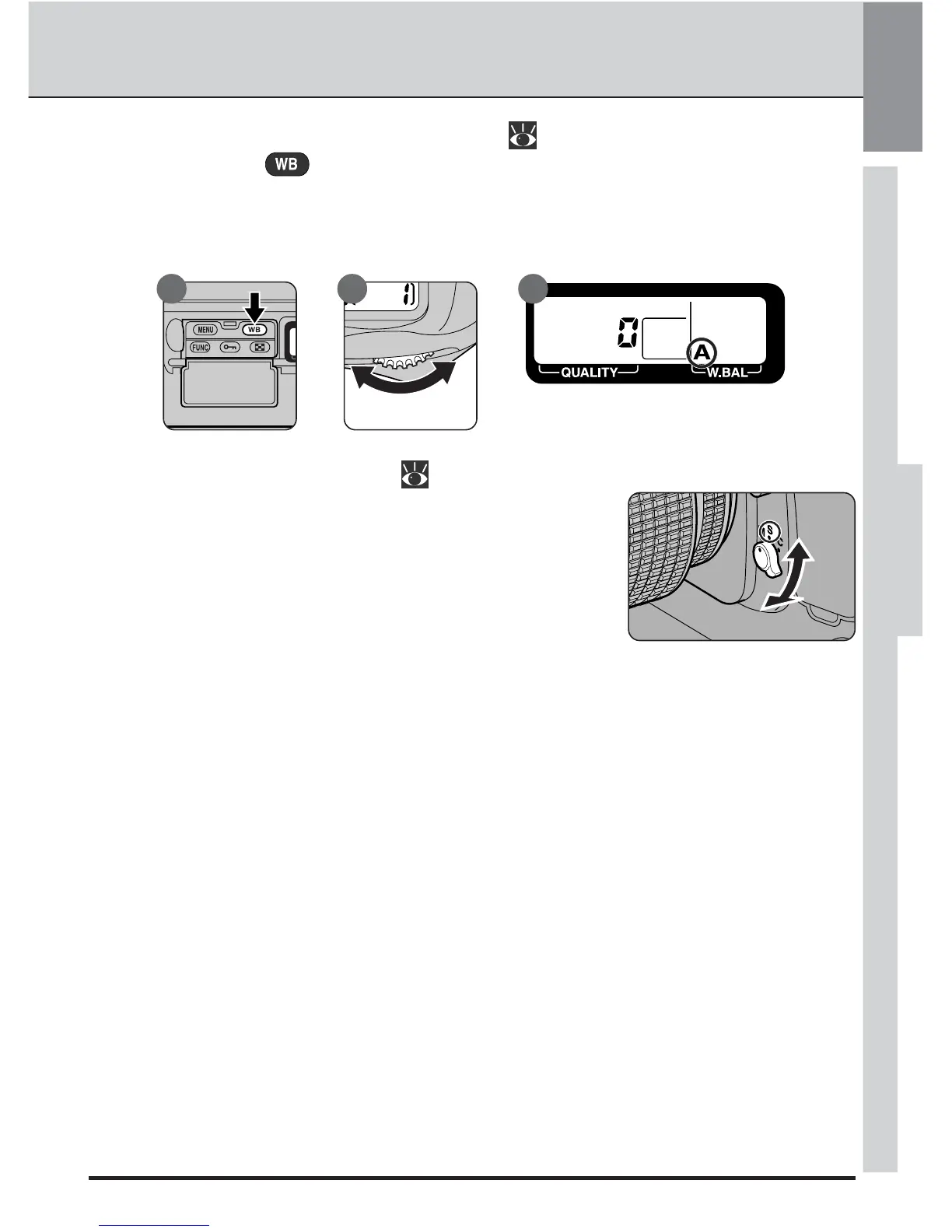
.4 Choose a white-balance setting ( pp. 64–69)
Holding the button down (A), turn the main command dial (B) until A
(auto white balance) is shown in the rear control panel (C). At this setting, the
camera will automatically adjust white balance to produce good results for
most common light sources.
A B C
1
.5 Choose a focus mode ( pp. 70–71)
Turn the focus-mode selector until it clicks into place
pointing to S (single-servo autofocus). The camera
will automatically focus on the subject in the se-
lected focus area when the shutter-release button
is pressed halfway. Photographs can only be taken
when the camera is in focus. Do not attempt to
adjust focus using the lens focusing ring.
STEP 1



 To Next Page