111
The flash is combined with shutter speeds as slow as 30 s, tak-
ing ambient lighting into account to bring out background de-
tails. In programmed auto and aperture-priority auto expo-
sure modes, the shutter speed chosen automatically by the cam-
era is usually
1
/
500
–
1
/
60
s.
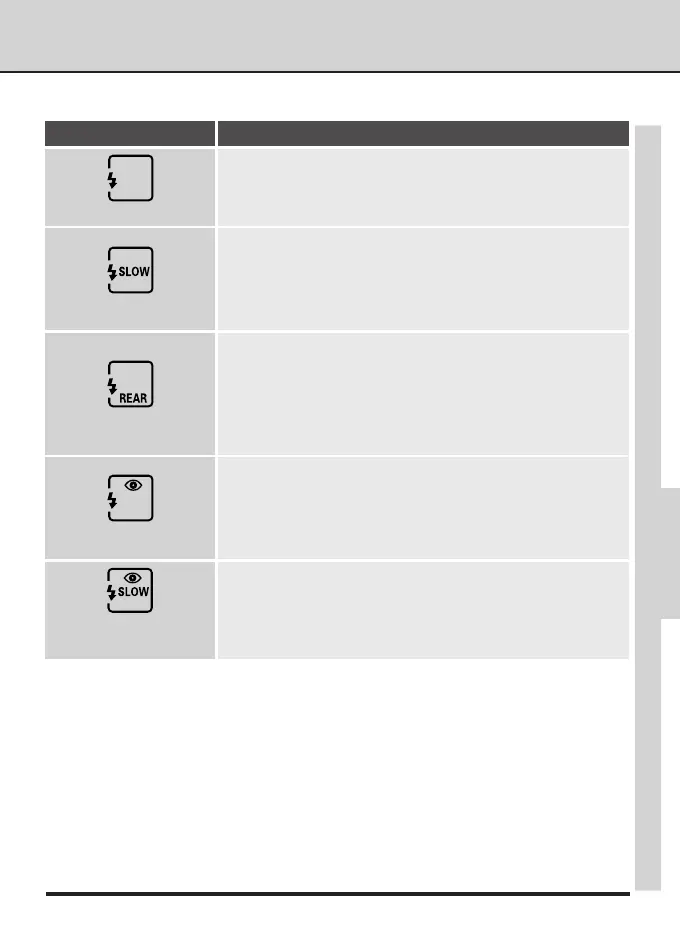
Slow sync
Use this mode to suggest motion by creating a stream of light
that appears to follow moving objects. When this mode is com-
bined with programmed auto or aperture-priority auto, shut-
ter speed is slowed to achieve the same effect as slow sync.
When using the SB-26, SB-25, or SB-24, set the Speedlight sync
mode selector to REAR.
Rear-curtain sync
This mode combines red-eye reduction with slow sync (avail-
able only with SB-28DX, SB-28, SB-27, and SB-26). Set the ex-
posure mode to programmed auto or aperture-priority auto.
Red-eye reduction with
slow sync
This mode is recommended in most situations. When using
the SB-26, SB-25, or SB-24, set the sync mode selector on the
Speedlight to NORMAL.
Front-curtain sync
The following flash-sync modes are available:
Flash sync mode Description
ADVANCED PHOTOGRAPHY—FLASH SYNC MODES
In this mode (available only with SB-28DX, SB-28, SB-27, and
SB-26), a red-eye reduction pre-flash lights for approximately
one second before the main flash, causing the pupils in your
subjects’ eyes to contract and reducing the “red-eye” effect a
flash can sometimes cause.
Red-eye reduction



 To Next Page