89
Taking Photographs—Exposure
Non-CPU Lenses
Exposure mode A (aperture-priority auto) is automatically selected when a non-CPU
lens is attached. The exposure mode indicator (S) in the top control panel will blink
and A will be displayed in the viewfi nder. For more information, see “Aperture-Priority
Auto” ( 90).
Changing from Manual to Shutter-Priority Auto
If you select a shutter speed of in manual exposure mode and then select shut-
ter-priority auto without changing the shutter speed, the indicator in the shutter-
speed display will fl ash and the shutter can not be released. Rotate the main command
dial to select a different shutter speed before shooting.
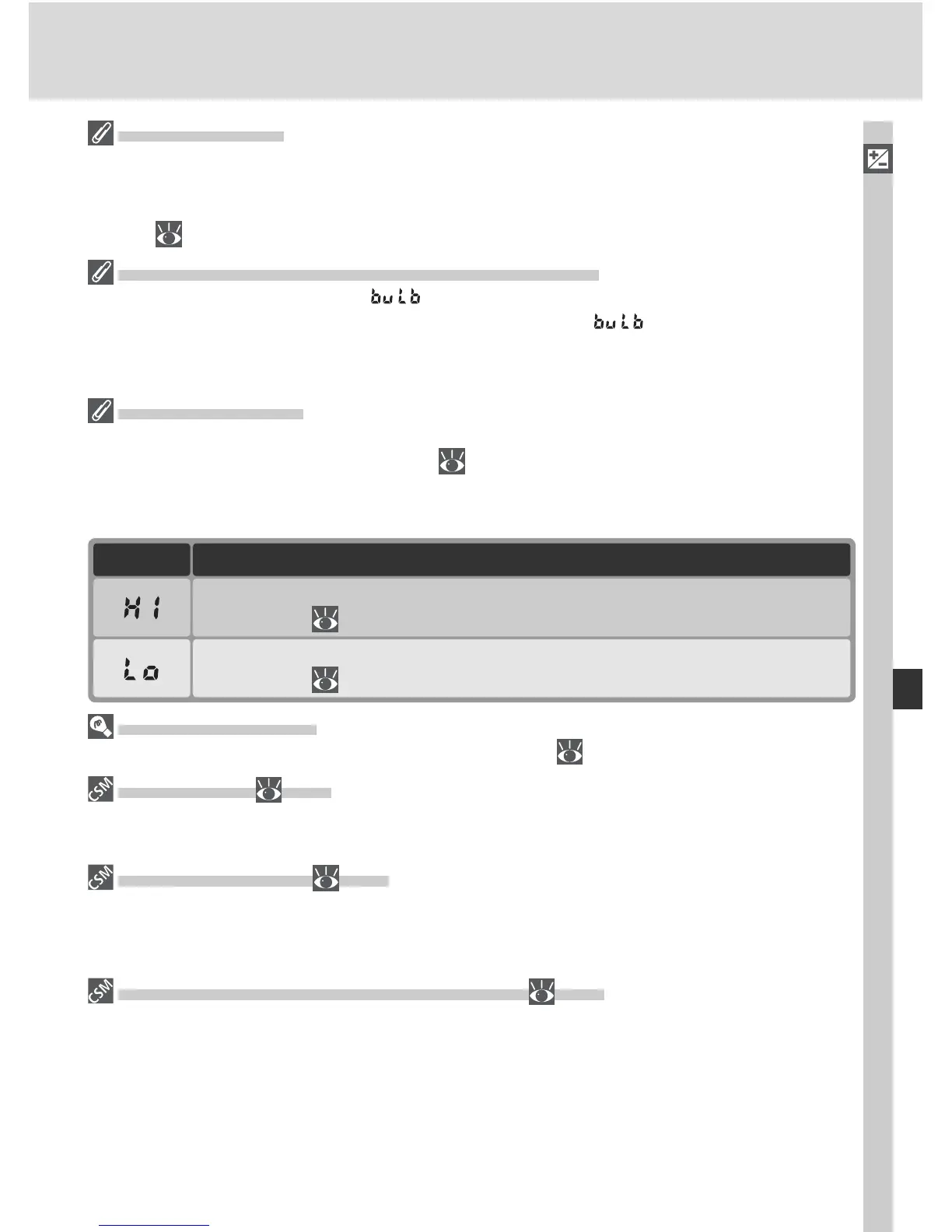
Exposure Warning
If the camera is unable to produce the correct exposure at the selected shutter speed,
the electronic analog exposure display ( 93) in the viewfi nder will show the amount
of un der- or over-exposure and one of the fol low ing in di ca tors will be dis played in the
con trol panel and viewfi nder aperture displays:
Subject too dark. Choose slower shutter speed or higher sensitivity (ISO
equivalency; 48), or use optional Speedlight.
DescriptionIndicator
Subject too bright. Choose faster shutter speed or lower sensitivity (ISO
equivalency; 48), or use optional Neutral Density (ND) fi lter.
Shutter-Speed Lock
Shutter speed can be locked at the selected setting ( 94).
b3—EV Step ( 184)
This option controls whether changes to shutter speed and aperture are made in in cre -
ments equiv a lent to
1
/
3 EV (the default setting), ½ EV, or 1 EV.
d4—Long Exp. NR ( 190)
To reduce noise at shutter speeds of about ½ s or slower, select On for Custom
Set ting d4. Note that this will increase the time needed to process photographs before
they are saved to the mem o ry card.
f5—Command Dials >Change Main / Sub ( 202)
This option can be used to reverse the roles of the command dials so that the sub-com-
mand dial controls shutter speed, while the main command dial controls aperture.



 To Next Page