17
Introduction—First Steps
Step 2—Insert the Battery
The D2H is powered by a rechargeable Nikon EN-EL4 Li-ion battery (provided).
2
.1 Charge the battery
The EN-EL4 is not fully charged at ship ment. To max i mize shoot ing
time, charge the battery in the supplied MH-21 quick charger before
use (see the MH-21 instruction manual for details). About 100 minutes
are required to fully recharge the battery when no charge remains.
2
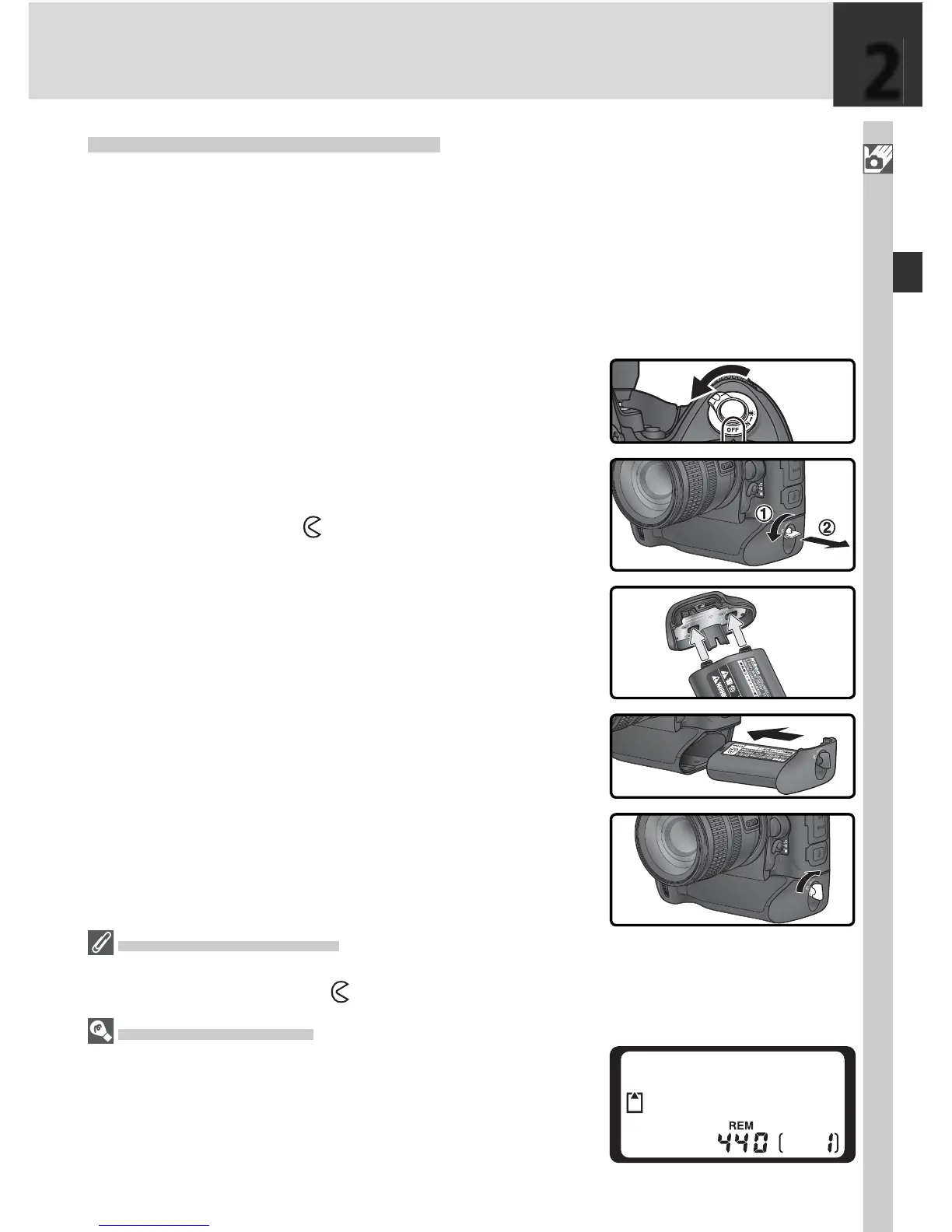
.2 Turn the camera off
Turn the cam era off before inserting or re-
mov ing bat ter ies.
2
.3 Remove the bat tery-chamber cover
Turn the bat tery-chamber cover latch to the
open po si tion ( ) and remove the bat tery-
cham ber cov er.
2
.4 Attach the battery cover to the battery
The battery can be charged with the cover
attached. See the instructions provided
with the EN-EL4 for details.
2
.5 In sert the bat tery
In sert the battery as shown at right.
2
.6 Latch the battery-cham ber cover
To prevent the battery from being dis lodged
during operation, be sure the cover is se-
curely latched.
Removing the Battery
Before removing the battery, turn the camera off and rotate the bat tery-chamber cover
latch to the open po si tion ( ).
Camera Off Display
If a battery and memory card are inserted, the frame
count and num ber of ex po sures remaining will be dis-
played even when the camera is off (with some memory
cards, it may be necessary to turn the camera on to view
the frame count and number of exposures remaining).
2



 To Next Page