114
Taking Photographs—Flash Photography
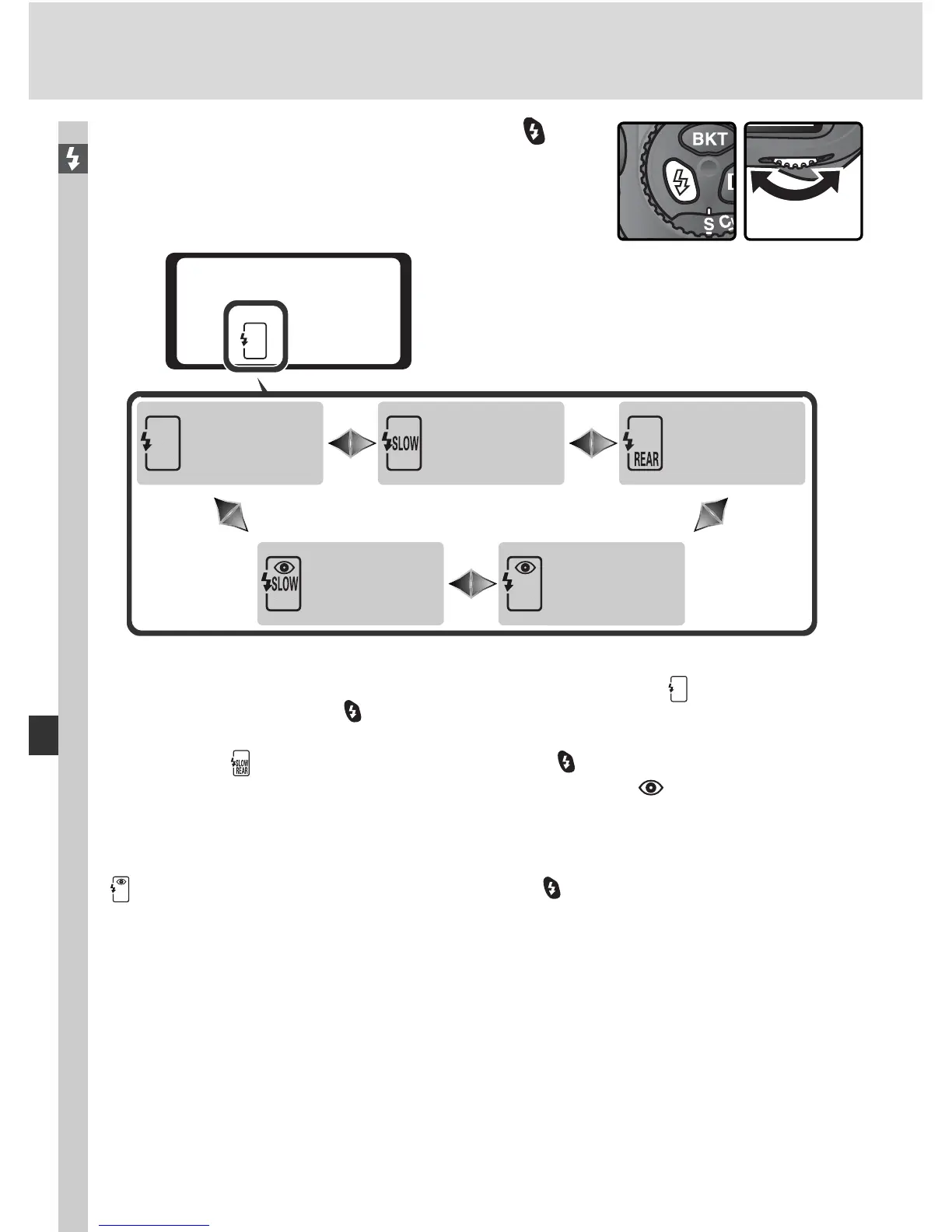
To choose the fl ash sync mode, press the but-
ton and ro tate the main com mand dial until the
de sired fl ash sync mode is se lect ed in the top
con trol panel:
Front curtain
sync
Slow sync
1
Rear curtain
sync
2
Red-eye
reduction with
slow sync
3, 4
Red-eye
reduction
3
1 Slow sync is available only in programmed auto and ap er ture-priority auto ex po sure
modes. In shutter-priority auto and manual exposure modes, (front-cur tain sync)
will be selected when the button is released.
2 In programmed auto and ap er ture-priority auto exposure modes, fl ash-sync mode
will be set to (slow rear-cur tain sync) when the button is released.
3 If the Speedlight does not support red-eye reduction, the icon in the fl ash sync
mode display will blink.
4 Red-eye reduction with slow sync is available only in programmed auto and ap er ture-
priority auto exposure modes. In shutter-priority auto and manual exposure modes,
(red-eye reduction) will be selected when the button is released.



 To Next Page