125
Taking Photographs—Non-CPU Lenses
2
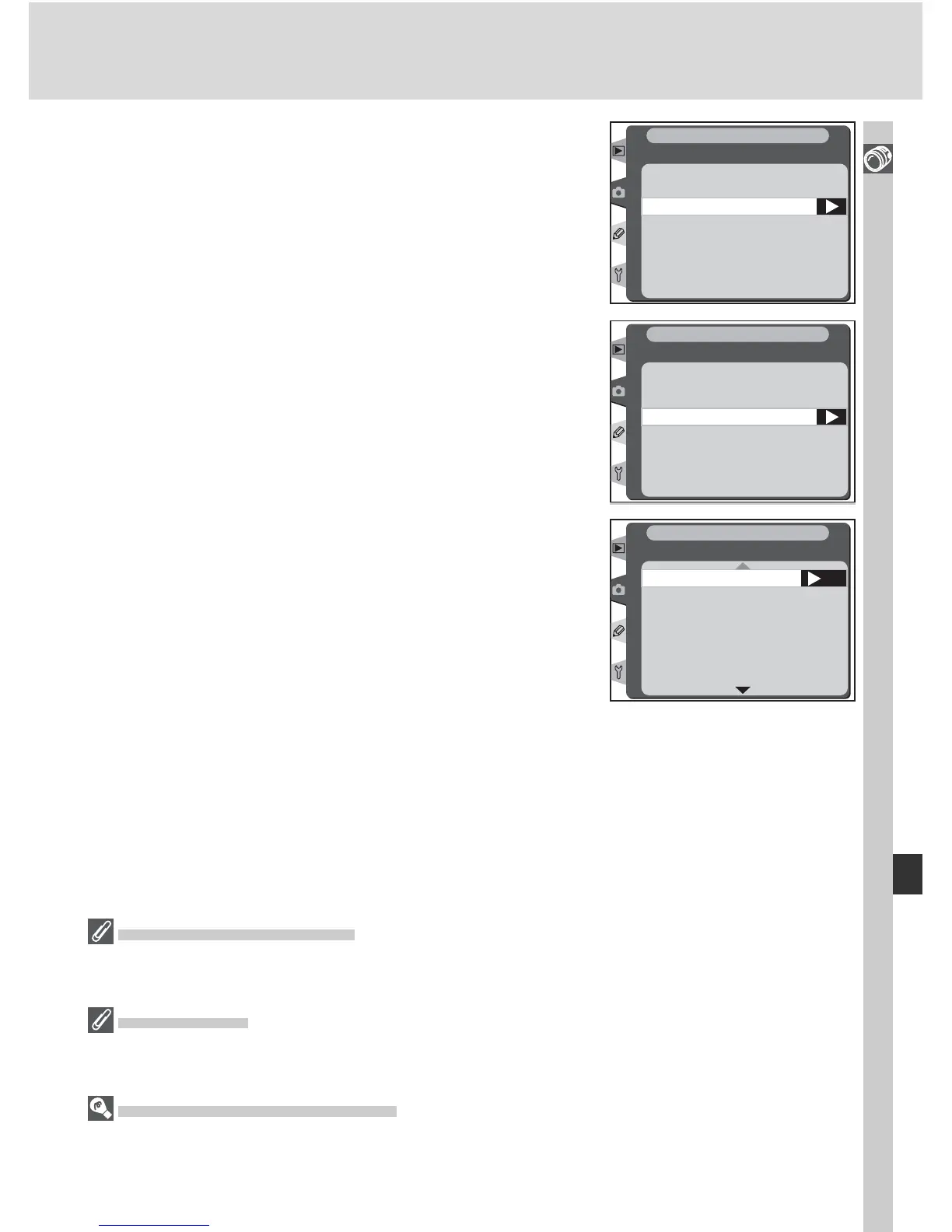
Highlight Focal length and press the multi
selector to the right.
Focal length
Maximum aperture
Non-CPU lens data
SHOOTING MENU
3
Select the group to which the lens belongs
from 6 - 45, 50 - 180, 200 - 4000 and press the
multi selector to the right.
N/A
200 – 4000
6 – 45
50 – 180
Focal length
SHOOTING MENU
4
Select the lens focal length (in mm) and press
the multi selector to the right.
OK
6
8
13
15
16
18
20
SHOOTING MENU
Focal length
Focal Length Not Listed
If the correct focal length is not listed, choose the closest value greater than the actual
focal length of the lens.
Zoom Lenses
Lens data are not adjusted when non-CPU lenses are zoomed in or out. After changing
the zoom position, select new values for lens focal length and maximum aperture.
Default Maximum Aperture
Selecting a focal length sets Maximum aperture the last value selected at that focal
length.



 To Next Page