127
Taking Photographs—Non-CPU Lenses
2
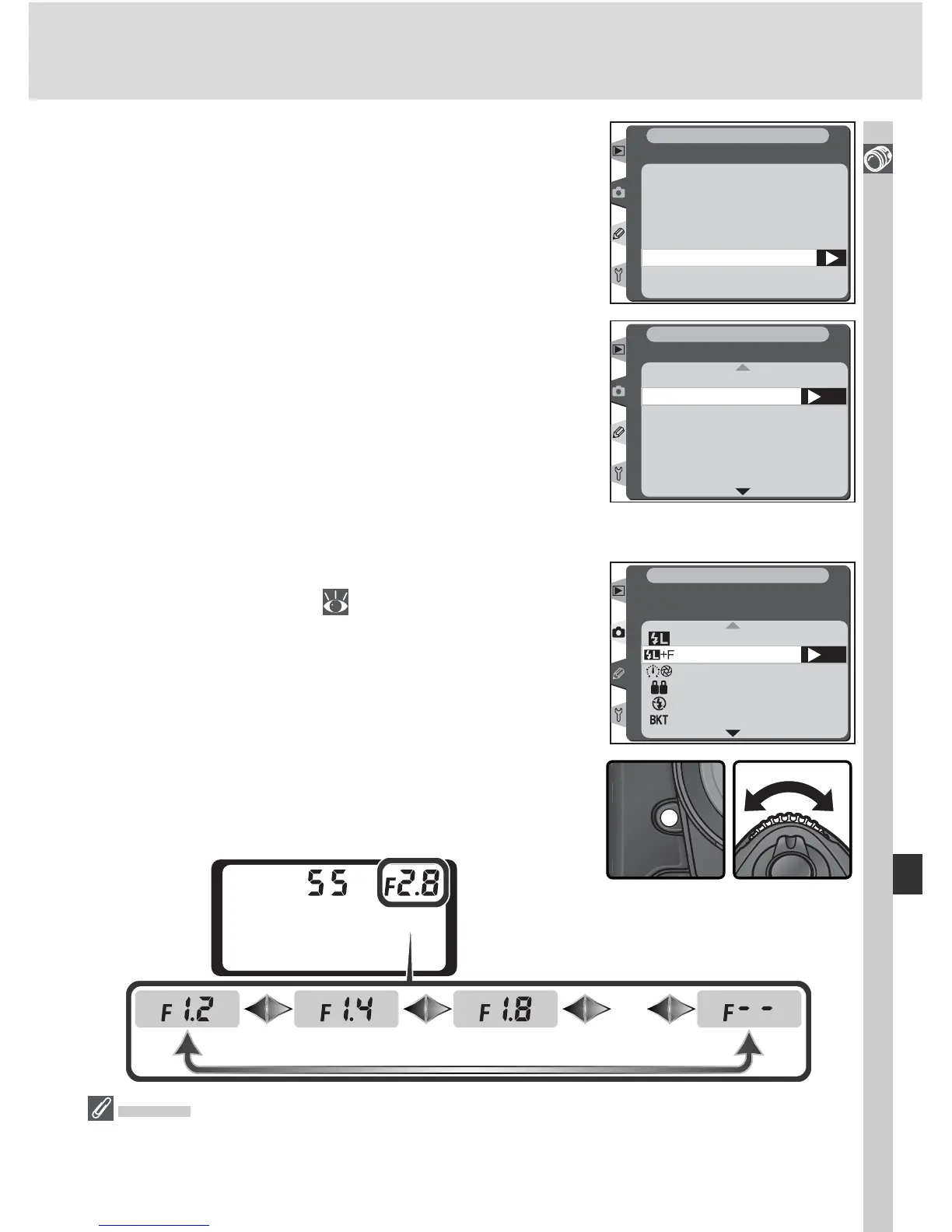
Press the FUNC. button and rotate the sub-
command dial. Maximum aperture is dis-
played in the top control panel:
2
Highlight Maximum aperture and press the
multi selector to the right.
Focal length
Maximum aperture
Non-CPU lens data
SHOOTING MENU
3
Select the f/-number corresponding to the
maximum lens aperture and press the multi
selector to the right.
OK
Maximum aperture
SHOOTING MENU
N/A
1.2
1.4
1.8
2
2.5
2.8
The Function Button
1
Select FV Lock/Lens data for Custom Setting
f4 (FUNC. Button; 201).
…
FV Lock
FV Lock/Lens data
OK
1 step spd/apeture
Same as AE-L/AF-L
Flash off
Bracketing burst
f4
Assign FUNC. Button
CSM MENU
SB-800
If an SB-800 Speedlight is mounted on the camera, turn the Speedlight off before us-
ing the Function button to specify lens data.



 To Next Page