SetSelect
SHOOTING MENU
d
-
1
:
Beach
Copying White Balance from a Photograph (d-1 – d-4 Only)
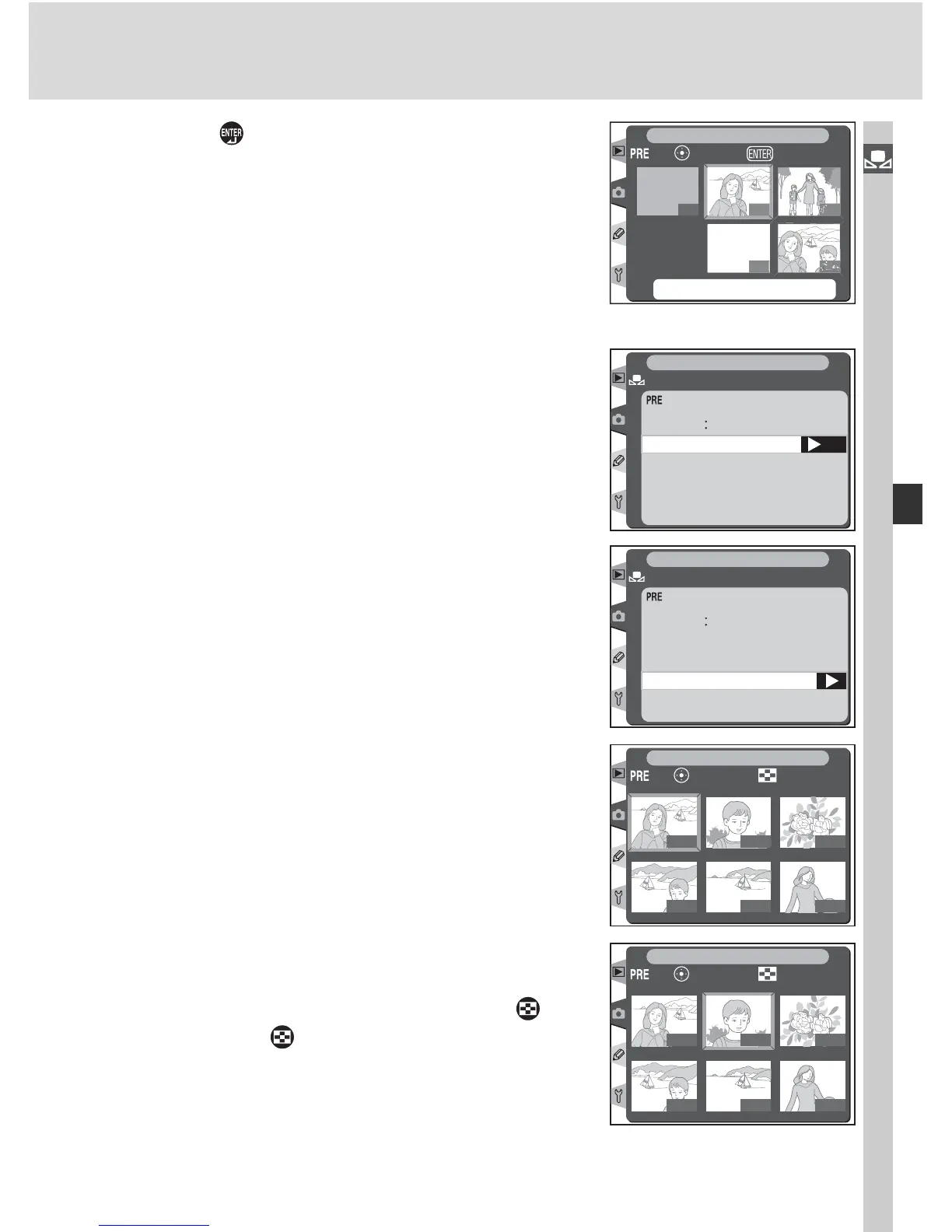
To copy a value for white balance from a photo-
graph on the memory card to a selected preset
(d-1 – d-4 only), highlight the preset in the thumb-
nail display and press the center of the multi se-
lector as described in steps 1–3 on page 61. The
menu shown at right will be displayed.
OK
d
-
1
Set
Edit comment
Select image
Copy d-0
White bal.
White bal. preset
SHOOTING MENU
1
Press the multi selector up or down to high-
light Select image.
d
-
1
Set
White bal. preset
Edit comment
Select image
Copy d-0
White bal.
SHOOTING MENU
2
Press the multi selector to the right to display
the photographs on the memory card. Only
photographs taken with the D2H will be dis-
played; other images can not be selected.
100-1
100-4
100-2
100-5
100-3
100-6
ZoomSet
SHOOTING MENU
3
Press the multi selector up, down, left, or right
to highlight the desired image. To view the
highlighted image full frame, press the but-
ton. Press the button again to return to the
thumbnail list.
100-1
100-4
100-2
100-5
100-3
100-6
ZoomSet
SHOOTING MENU



 To Next Page