V1.02
Thom Hogan’s Complete Guide to the Nikon D300 Page 166
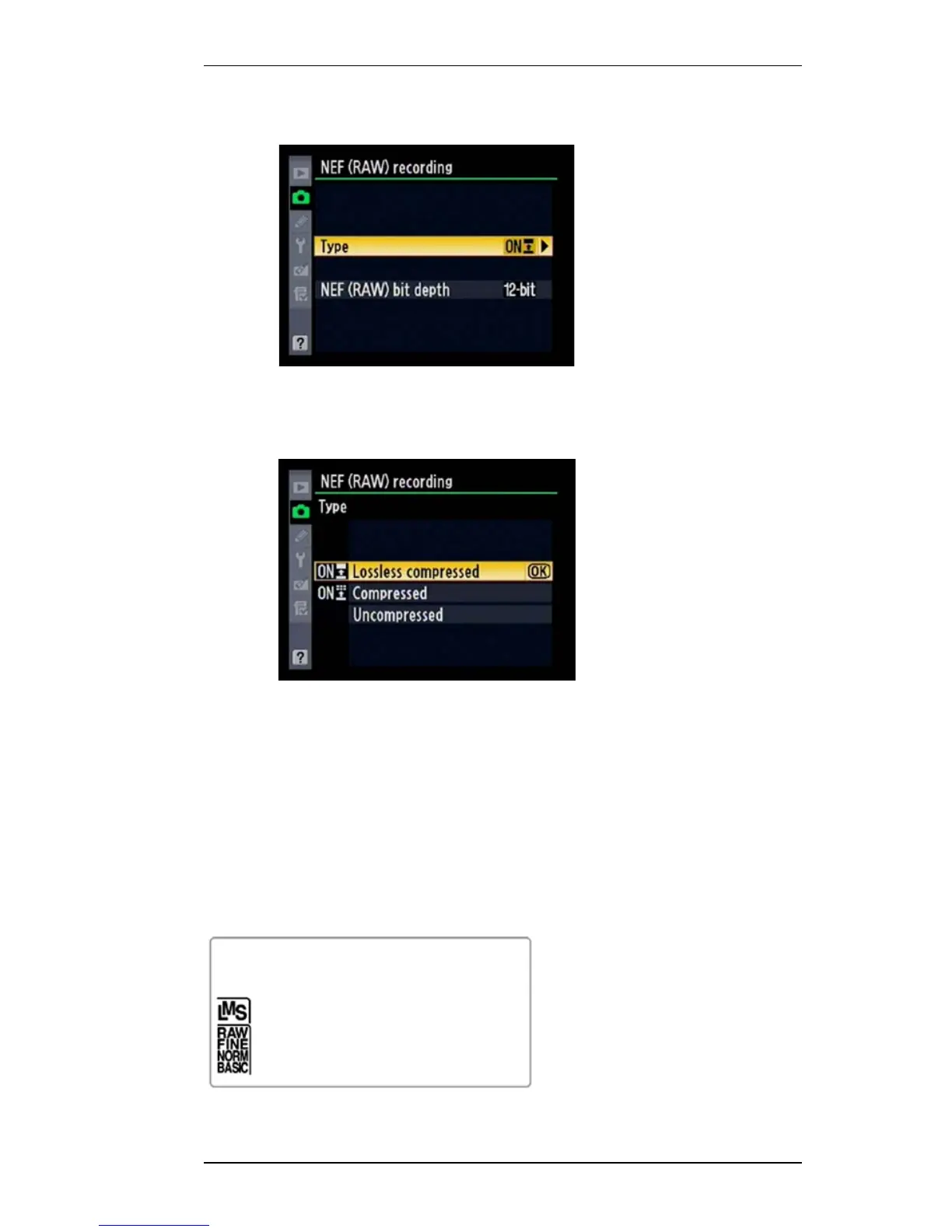
8. Use the Direction pad to navigate to Type and press
the > key on the Direction pad to select it.
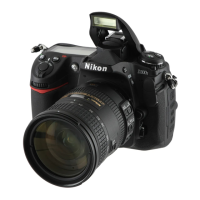
9. Use the Direction pad to navigate to your choice of
compression type (or Uncompr essed) and press the
OK button to select it.
Alternatively, hold down the QUAL button on the top of the
camera and rotate the Rear Command dial to select RAW (or
one of the RAW+JPEG options; the top LCD displays the
Image Quality setting as you change it); this assumes you
haven’t used Custom Setting #F7 to change the dial functions:
Top LCD (only one option will appear at any given time; the
LMS indicators only appear if you’ve selected a RAW+JPEG
option):


 To Next Page