✦ Focus-mode selector: The autofo-
cus/manual (AF/M) lever on the
camera body can be flipped to set
the focus mode for lenses that
don’t have such a control on the
lens barrel, or for manual focus
lenses. Figure 1.3 also shows such
a control on the 18–70mm kit lens.
✦ AC Power/AV Connector/USB
Connector covers: On the side of
the camera, you’ll see two rubber
covers that protect the D70’s pri-
mary external connectors. These
include the AC power connector,
which can operate the camera
without batteries (for, say, studio
work or time-lapse photography).
Just below the AC power connector
is an AV plug that can link the D70
to an external monitor for viewing
pictures or menus. The bottom-
most connector accepts the USB
cable, which enables transferring
pictures directly from the camera
to your computer, and also lets you
control the camera’s functions
using the Nikon Capture software.
The Nikon D70s also has a connec-
tor for the wired remote control
accessory.
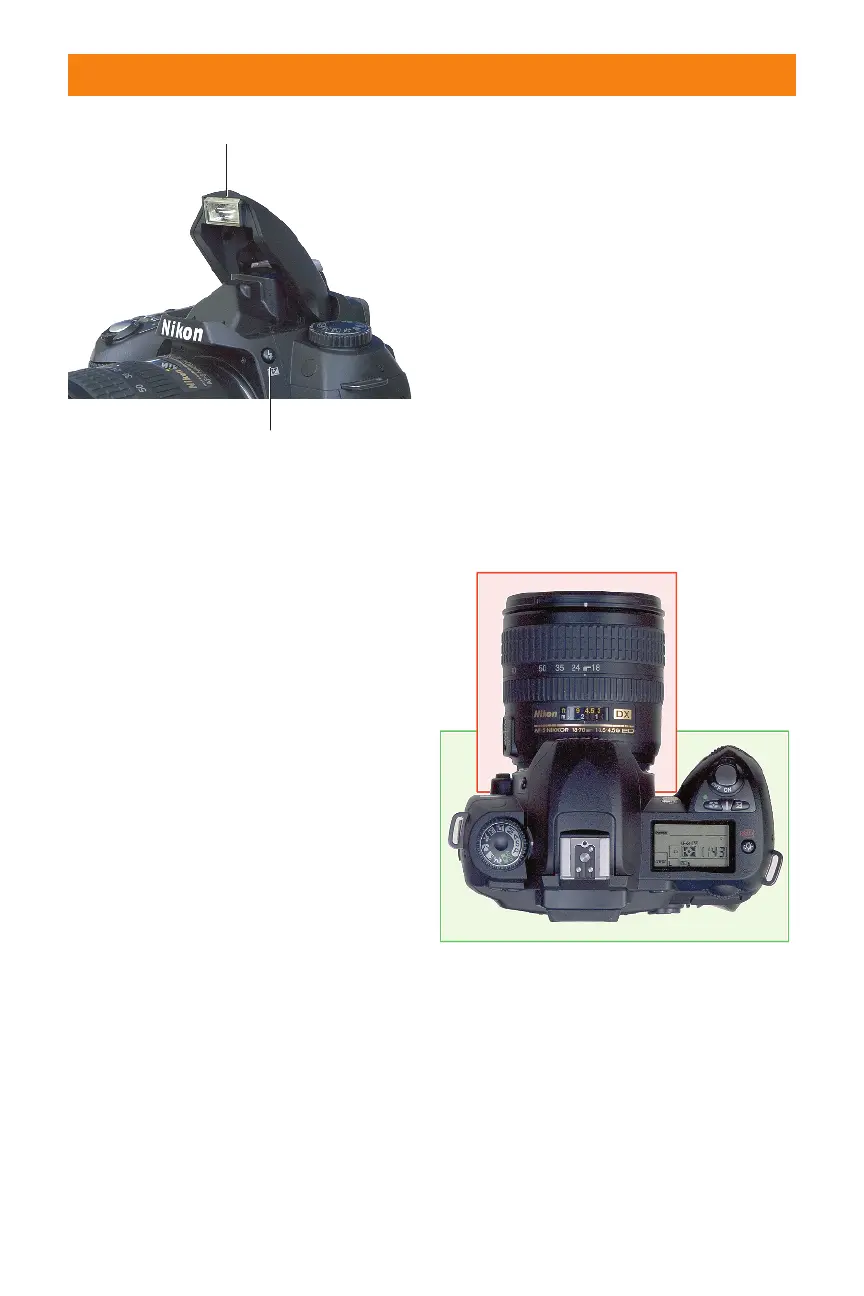
On Top
The top surface of the D70 has its own set
of controls, shown in figure 1.5. In addition,
a bird’s-eye view provides the best perspec-
tive of some of the controls on the lens. I’ve
divided these controls into a pair of bite-
sized color-coded pieces, too, with red
assigned to the lens controls, and green to
the camera-body controls.
You can see the basic controls found on
many zoom lenses in figure 1.6. Not all these
controls are found on all lenses, and some of
them may be in different positions on differ-
ent lenses (particularly those not produced
by Nikon). The key components are
Chapter 1 ✦ Exploring the Nikon D70 19
Flip up electronic flash/speedlight
Flash lock release
Flash sync mode
Flash exposure compensation
1.4 Pressing the flash multi-button (Flash
Exposuer Compensation button) pops up
the built-in electronic flash, ready for use.
1.5 The top of view of the D70 and its kit
lens.
06_596780 ch01.qxd 6/16/05 7:20 PM Page 19



 To Next Page