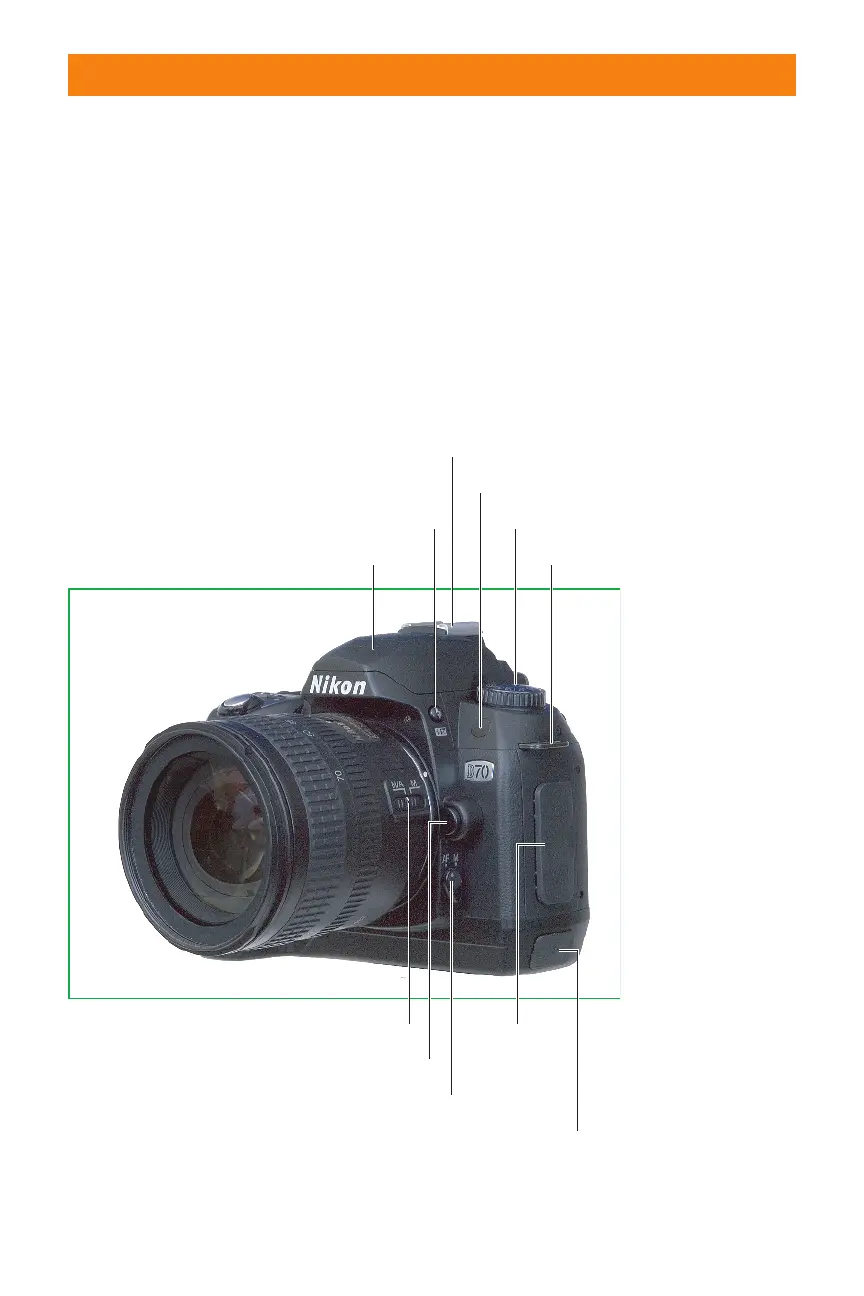
spinning the command dial on the
back of the camera changes
among flash sync modes, such as
red-eye reduction, or slow sync
(which combines flash and a regu-
lar exposure to lighten back-
grounds). Holding this button
while spinning the sub-command
dial adds or subtracts from the
flash exposure, making your flash
picture a little lighter or darker, as
you prefer.
✦ Infrared receiver: This is a dark
red window (opaque to visible
light) that captures a signal from
the optional remote control.
Because it’s on the front of the
camera you must use the remote
from the front position.
✦ Lens release: Press and hold this
button to unlock the lens so you
can rotate the lens to remove it
from the camera.
18 Part I ✦ Using the Nikon D70
Flip-up flash
Lens focus mode selector
Flash lock release
Flash sync mode
Flash exposure compensation
Flash accessory shoe
Infrared receiver
Neck strap lug
Mode dial
Lens release
Camera body focus mode selector
AC power/
AC connector
cover
USB connector cover
1.3 Nikon D70 right-front side, viewed from the subject’s position.
06_596780 ch01.qxd 6/16/05 7:20 PM Page 18



 To Next Page