Check the current camera firmware version
1
Turn the camera on.
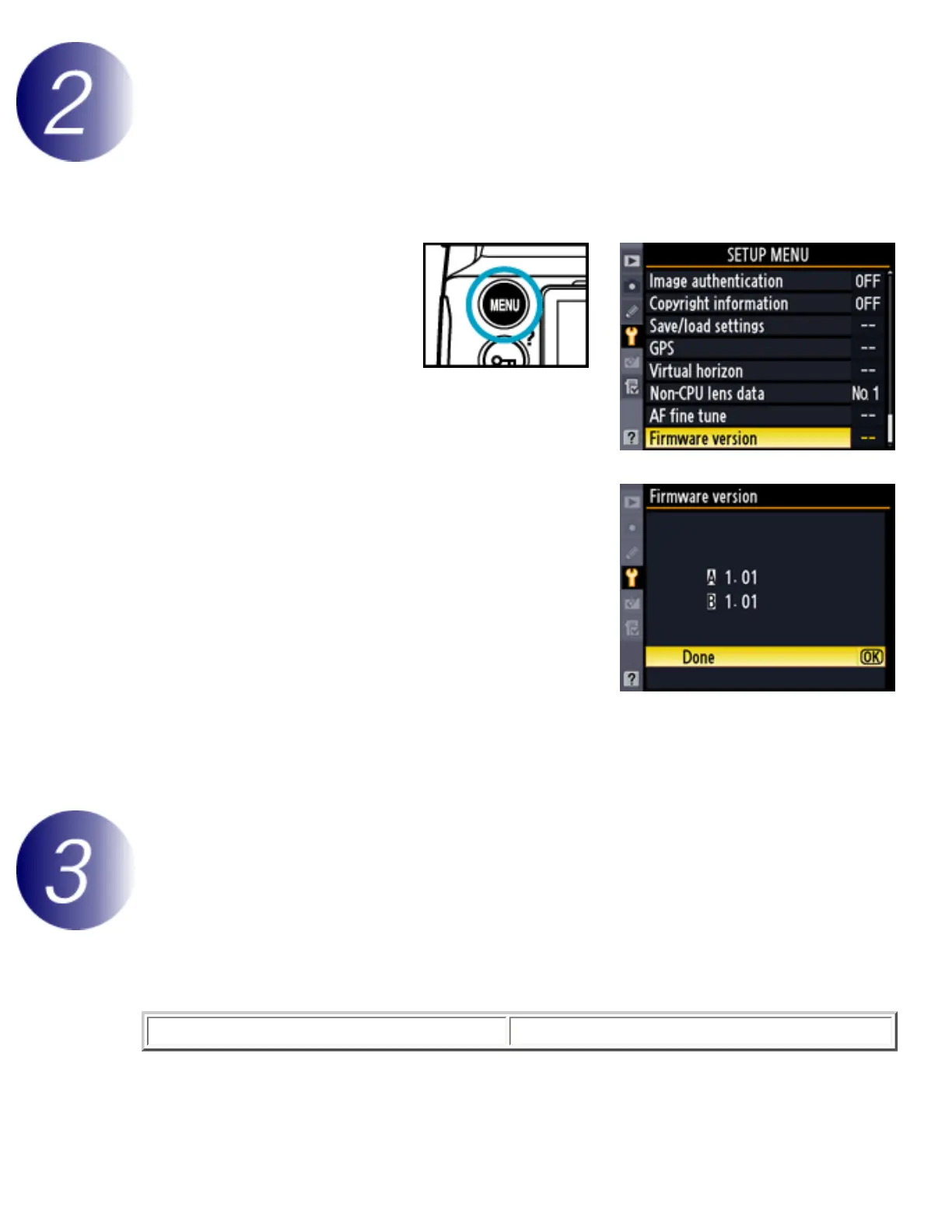
2
Press the MENU
button and select
Firmware version
in the setup menu.
3
Two firmware versions (A and B) will be
displayed. Both should be earlier than 1.01.
4
Press OK and turn the camera off.
Download and extract the new firmware
Click the I agree - Begin download link on the download site to download the file “F-
D700-V102M.dmg”. Double-click this file to mount a disk image containing the folder
“D700Update,” which contains the following files:
D7000102.bin
Camera firmware



 To Next Page