Using Nikon View 4 with Windows XP Home Edition / Windows XP Professional (D1 Series)
xp-6
Step 5
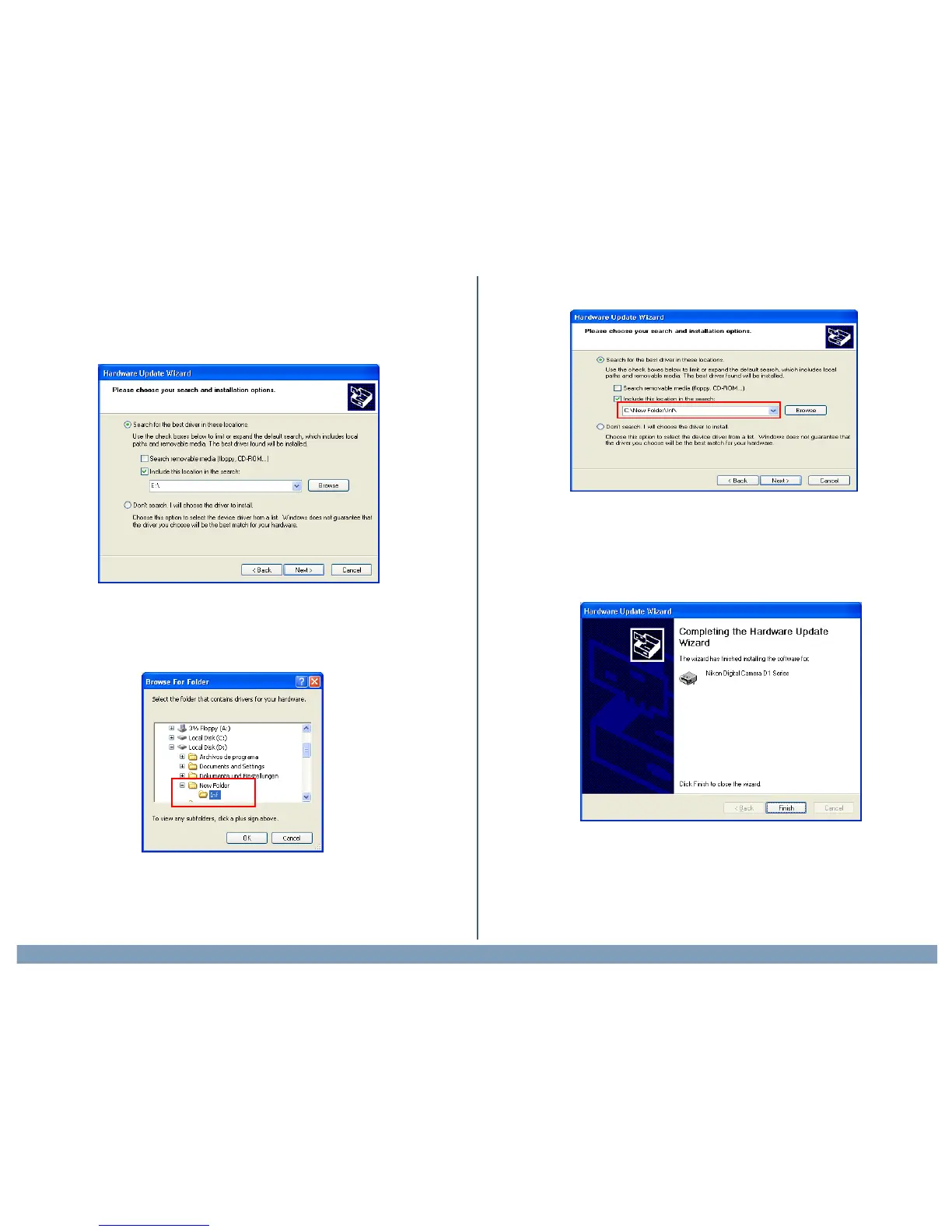
When the driver installation has been completed, the dialog shown below
will be displayed; click Finish to close the wizard.
Step 4
The dialog shown below will be displayed. Select “Search for the best
driver in these locations.” then click “Including this location in the seach.”
If the downloaded folder is labelled ”New Folder”, click the Browse
button,and select “C:\New Folder\Inf”.
Click OK; the dialog shown below will be displayed.


 To Next Page
 Loading...