EasyManua.ls Logo

Nikon F 4 - Page 15

Nikon F 4
110 pages
Print Icon
To Next Page IconTo Next Page
To Previous Page IconTo Previous Page
Loading...
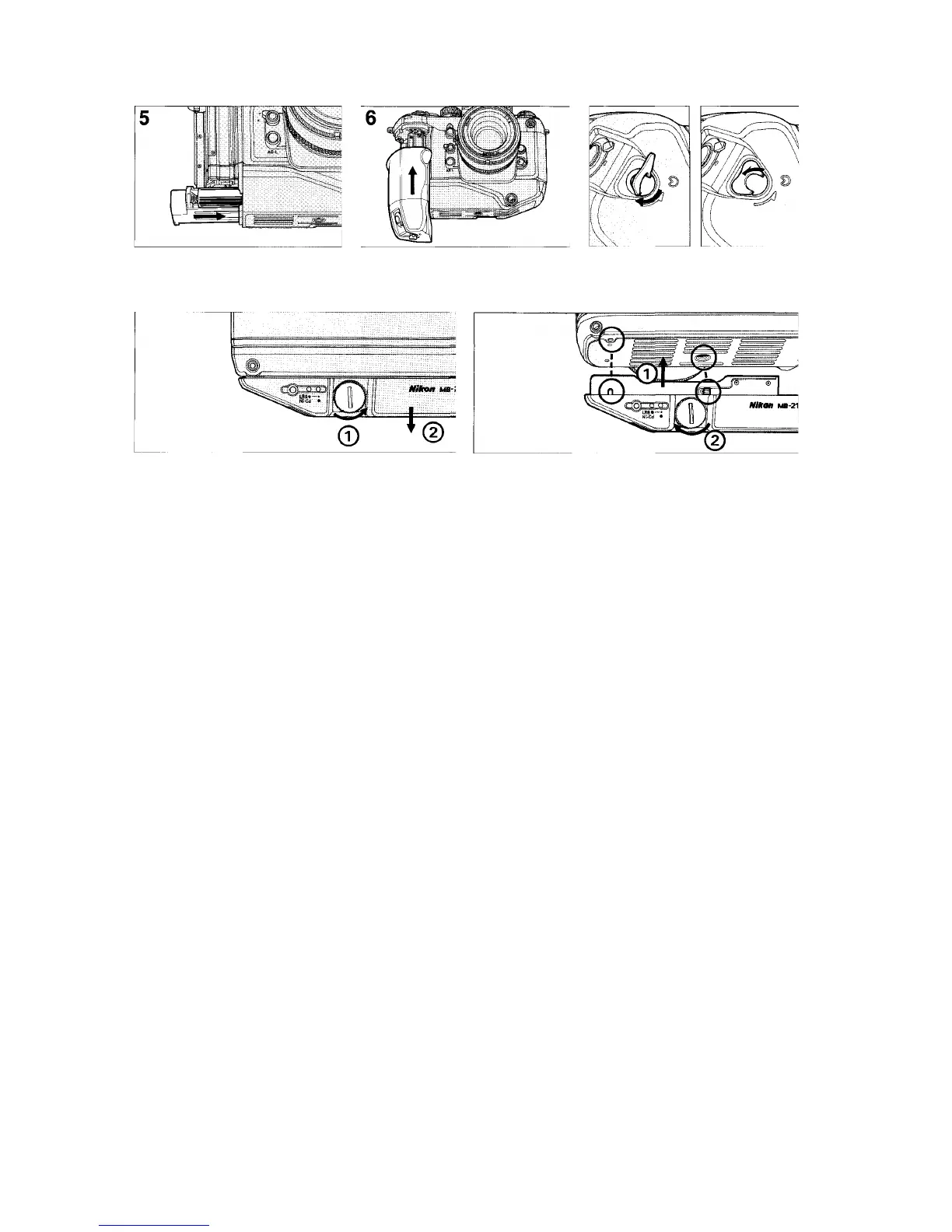
•To remove base from camera body, rotate lock screw coun-
terclockwise using a coin.
•To attach base to camera body, align mounting screw and
guide pin with camera's tripod socket and guide hole, then
rotate lock screw clockwise with your fingers, (Do not use
a coin, screwdriver etc.)

Slide battery holder back into base until
it locks into place.
Attach grip to camera body and turn release lever clockwise until it stops.

Related product manuals