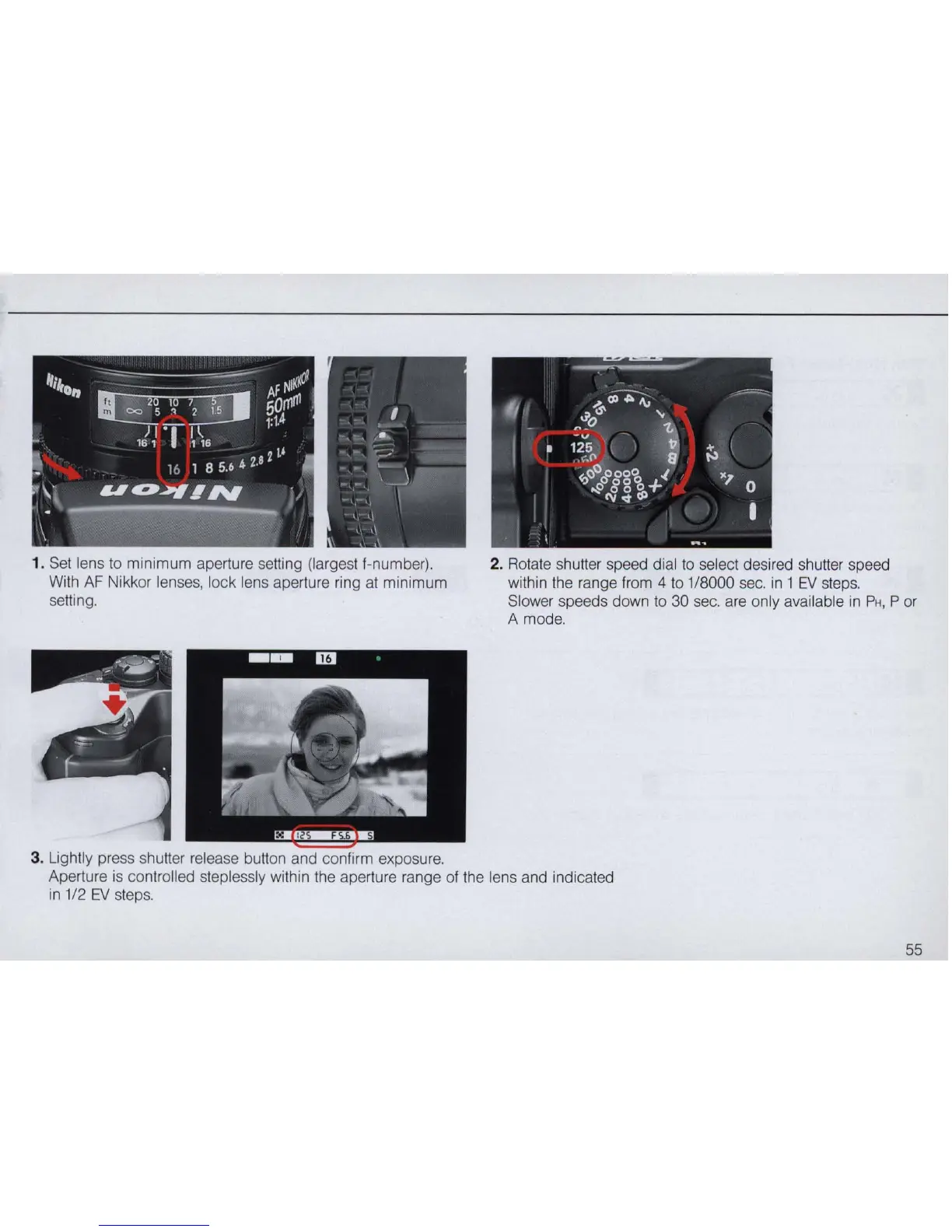
1. Set lens
to
minimum aperture setting (largest I-number),
With
AF
Nikkor lenses, lock lens aperture ring at minimum
setting,
3. Lightly press shutter release button and confirm exposure,
2. Rotate shutter speed dial
to
select desired shutter speed
within the range lrom 4
to
1/8000
sec,
in 1
EV
steps,
Slower speeds down
to
30 sec, are only available in
PH,
P
or
A mode,
Aperture is controlled steplessly within the aperture range of the lens and indicated
in
1/2
EV
steps,
55



 To Next Page