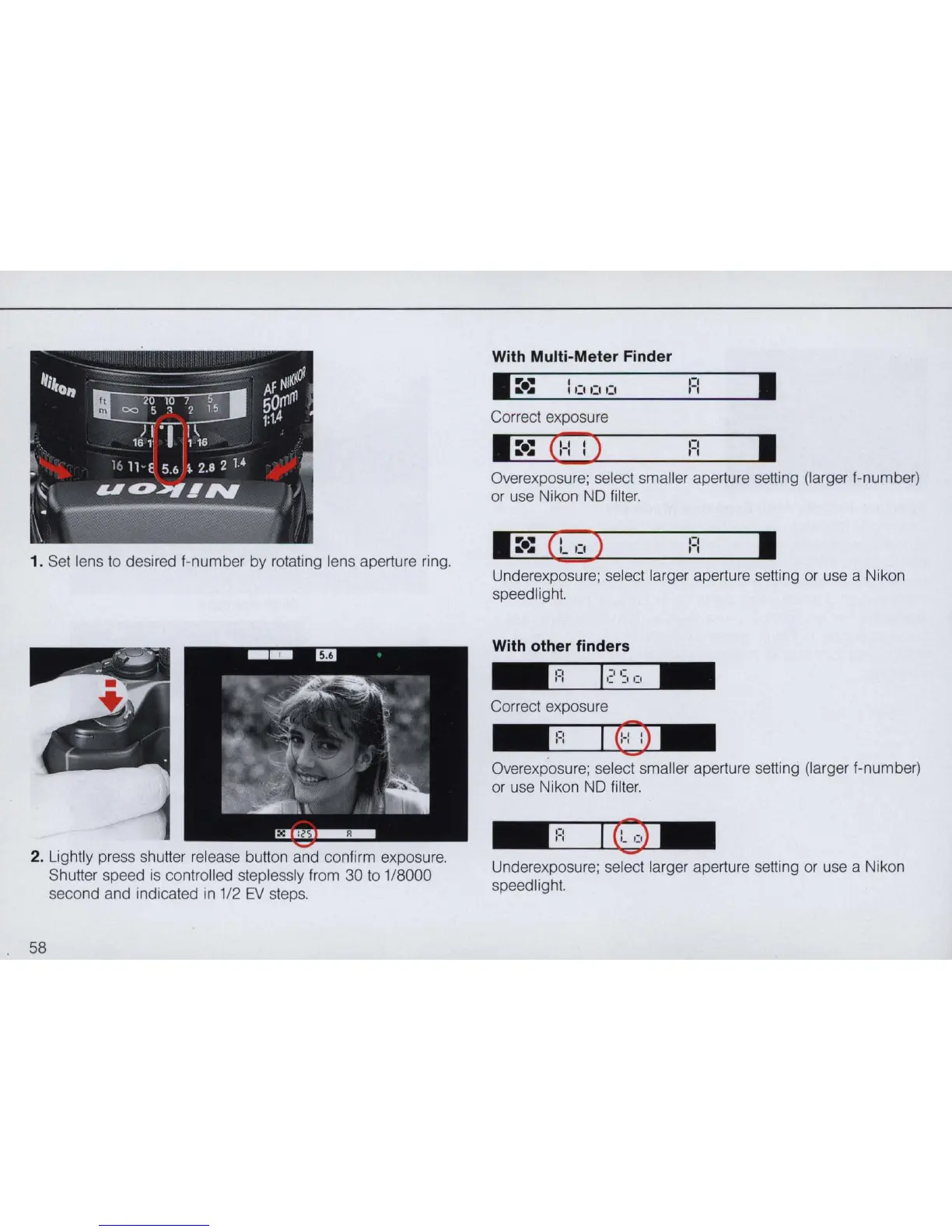
1. Set lens
to
desired I-number by rotating lens aperture ring.
2. Lightly press shutter release button and conlirm exposure.
58
Shutter speed is controlled steplessly lrom 30
to
1/8000
second and indicated in 1/2
EV
steps.
With Multi-Meter Finder
:=
:
•
Correct exposure
•
::.:
C
:-:
:)
F:
•
Overexposure; select smaller aperture setting (larger I-number)
or
use Nikon ND lilter.
F:
•
Underexposure; select larger aperture setting or use a Nikon
speedlight.
With other finders
"
0:,
"
Correct exposure
..
':,
"
I
()
..
Overexposure; select sma
ll
er aperture setting (larger I-number)
or
use Nikon ND lil
ter.
" 0
"
Underexposure; select larger aperture setting
or
use a Nikon
speedlight.



 To Next Page