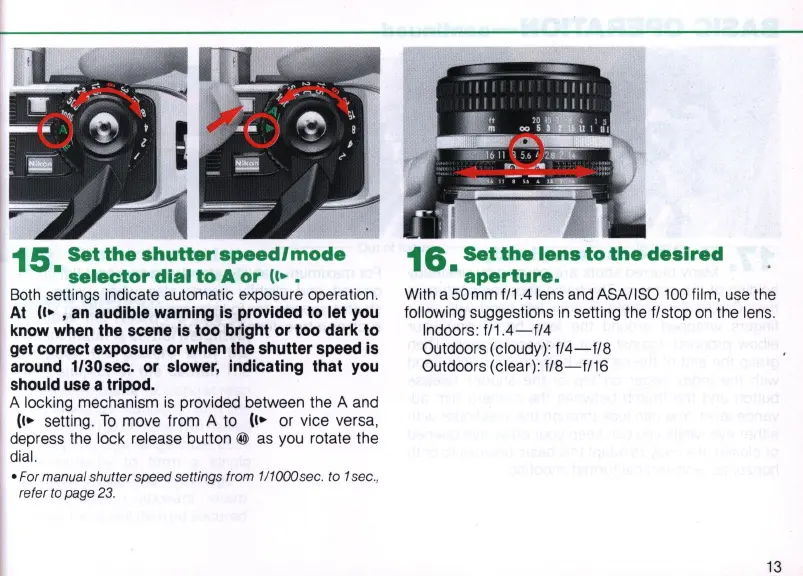
15.
Set
the
shuHer
speed/mode
selector
dial
to
A
or
(,
•.
Both
settings indicate automatic exposure operation.
At
(,.
,an
audible warning
is
provided to let you
know when the scene
is
too bright or too dark to
get correct exposure
or
when the shutter speed
is
around 1/30sec.
or
slower, indicating that you
should use a tripod.
A locking mechani
sm
is
provided between the A
and
(,.
setting.
To
move from A to
(,.
or vice versa,
depress the lock release button
@
as
you
rotate the
dial.
• For manual shutter speed settings from 111000sec. to 1 sec.,
refer to page
23.
16.
Set
the
lens
to
the
desired
aperture.
With a 50mm f/1.4lens
and
ASAIISO
100
film, use the
following suggestions
in
setting the f/stop
on
the lens.
Indoors:
f/1.4-f/4
Outdoors (cloudy):
f/4-f/8
Outdoors (clear):
f/8-f/16
13


 To Next Page