32
Appendix: Nikon Scan Controls
Nikon
LS-2000 35 mm Film Scanner User’s Guide
Buttons
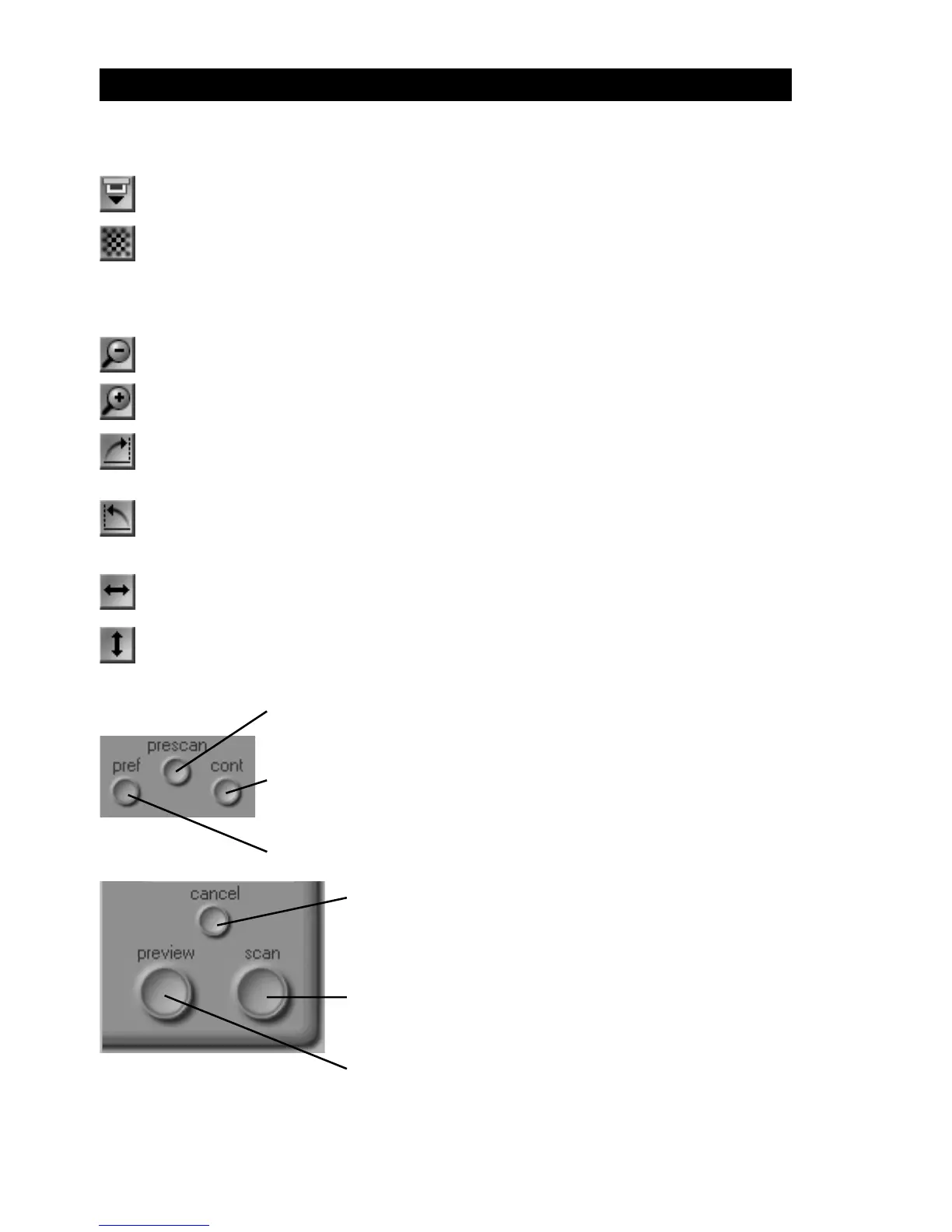
Eject film from the SA-20 or optional IA-20 and SF-200 adapters
Focus the scanner on the center of the preview image. Clicking this button
with the ctrl key (Windows) or option key (Macintosh) held down allows you
to focus the scanner on a point chosen by clicking anywhere within the
preview image.
Zoom out to the previous view after zooming in
Zoom in on the current crop
Rotate the preview image and/or currently selected thumbnails ninety
degrees to the right
Rotate the preview image and/or currently selected thumbnails ninety
degrees to the left
Flip the preview image and/or currently selected thumbnails horizontally
Flip the preview image and/or currently selected thumbnails vertically
Conduct a prescan to adjust scanner exposure settings
Perform automatic contrast adjustment
Open the Preferences dialog (see below)
Abort preview or main scan
Preview current slide, thumbnail, or crop
Scan image into host application or Nikon Scan
image window.



 To Next Page