16
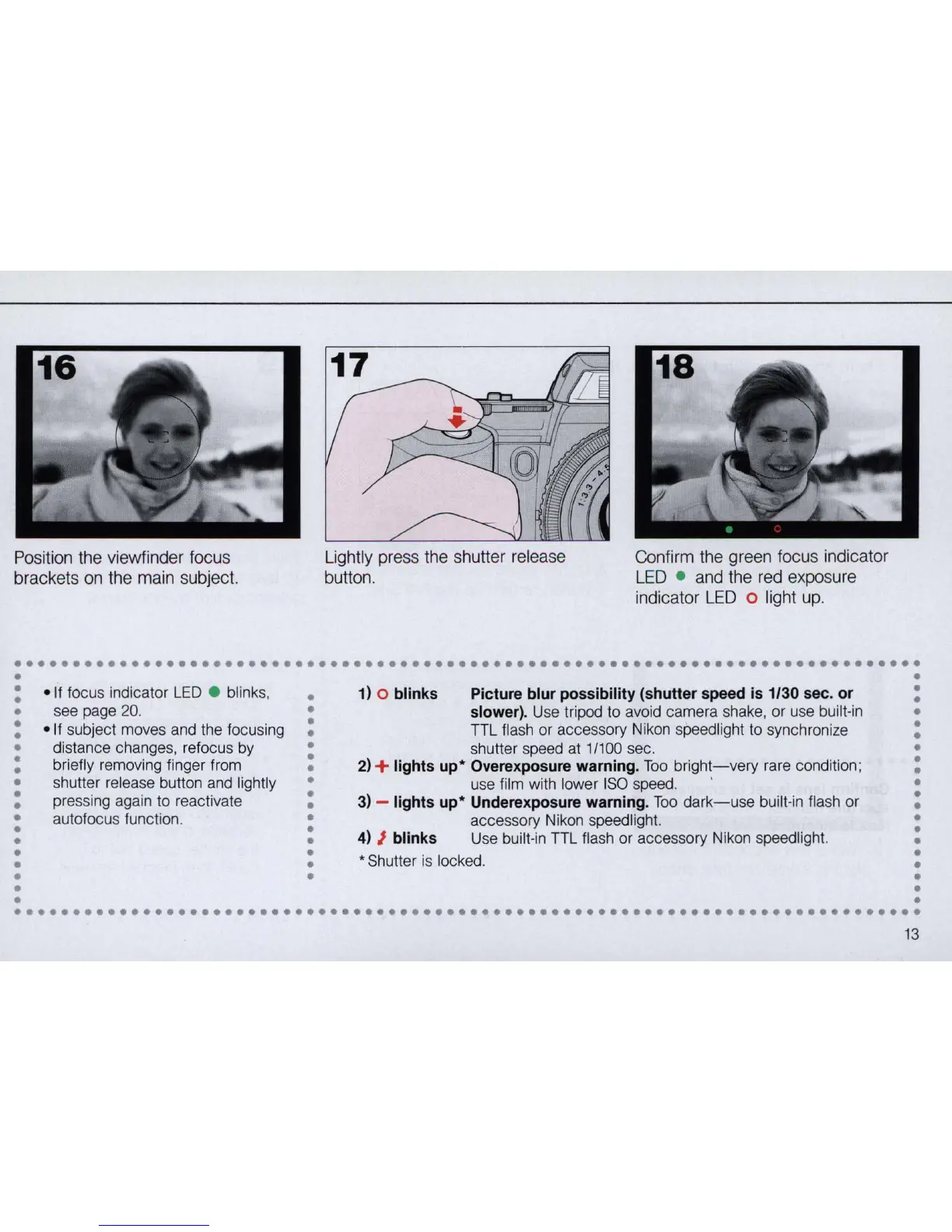
Position the viewfinder focus
brackets
on
the main subject.
Lightly press the shutter release
button.
Confirm the green focus indicator
LED
. and the red exposure
indicator
L
ED
0 light up .
••••••••••••••••••••••••••••••••••••••••••••••••••••••••••••••••••••••••••••••
•
•
•
• If focus indicator
LED
• blink
s,
1) 0 blinks Picture blur possibility (shutter speed is 1/30 sec. or
•
•
•
•
•
see page 20.
• slower). Use tripod to avoid camera shake, or use built·in
•
•
• If subject moves and the focusing
•
TTL flash or accessory Nikon speedlight to synchronize
•
•
•
•
•
distance changes,
re
focus by
•
shutter speed at 1/100 sec.
•
•
briefly removing finger from
•
2) + lights up' Overexposure warning. Too
brigh~-very
rare condition ;
•
•
•
•
•
shutter release button and lightly
•
use film with lower
ISO
speed.
•
•
pre
ss
ing again to reactivate
•
3) - lights
up'
Underexposure warning.
Too
dark-use
built'in flash or
•
• •
•
•
autofocus functi
on
.
•
accessory Nikon speed light. •
•
•
4) J blinks Use
bu
ilt·
in
TTL flash or accessory Nikon speedlight.
•
• • •
•
•
* Shutter is locked.
•
• •
•
•
•
•
•
•
•
•
••••••••••••••••••••••••••••••••••••••••••••••••••••••••••••••••••••••••••••••
13


 To Next Page