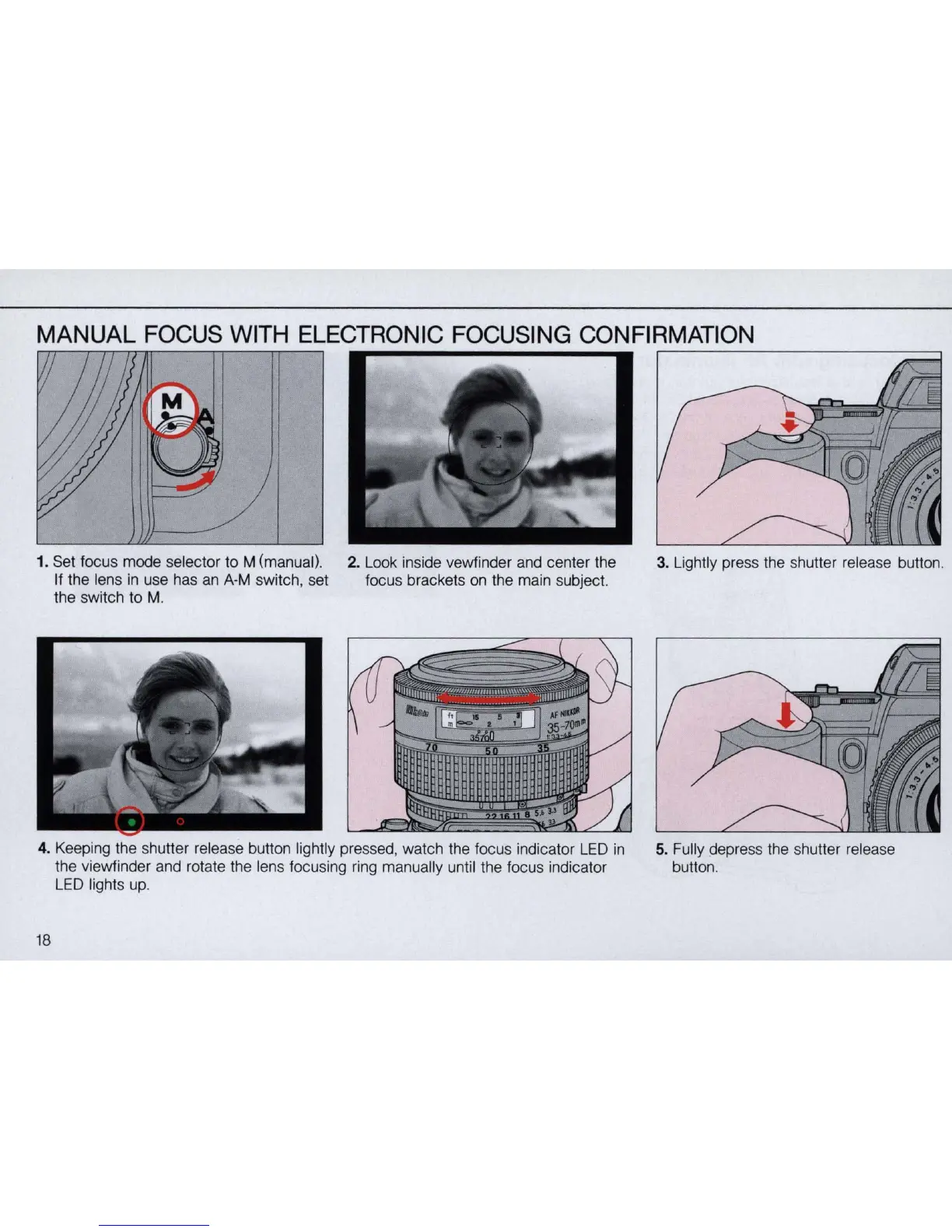
MANUAL FOCUS WITH ELECTRONIC FOCUSING CONFIRMATION
1.
Set focus mode selector to M (manual).
If the lens
in
use has
an
A-M switch, set
the switch to
M.
2. Look inside vewfinder and center the
focus brackets
on
the main subject.
4. Keeping the shutter release button lightly pressed, watch the focus indicator
LED
in
the viewfinder and rotate the lens focusing ring manually until the focus indicator
LED
lights up.
18
~------------------------~
3. Lightly press the shutter release button.
5. Fully depress the shutter release
button.


 To Next Page