APER
T
URE-PRIORITY
EXPOSURE
MODE
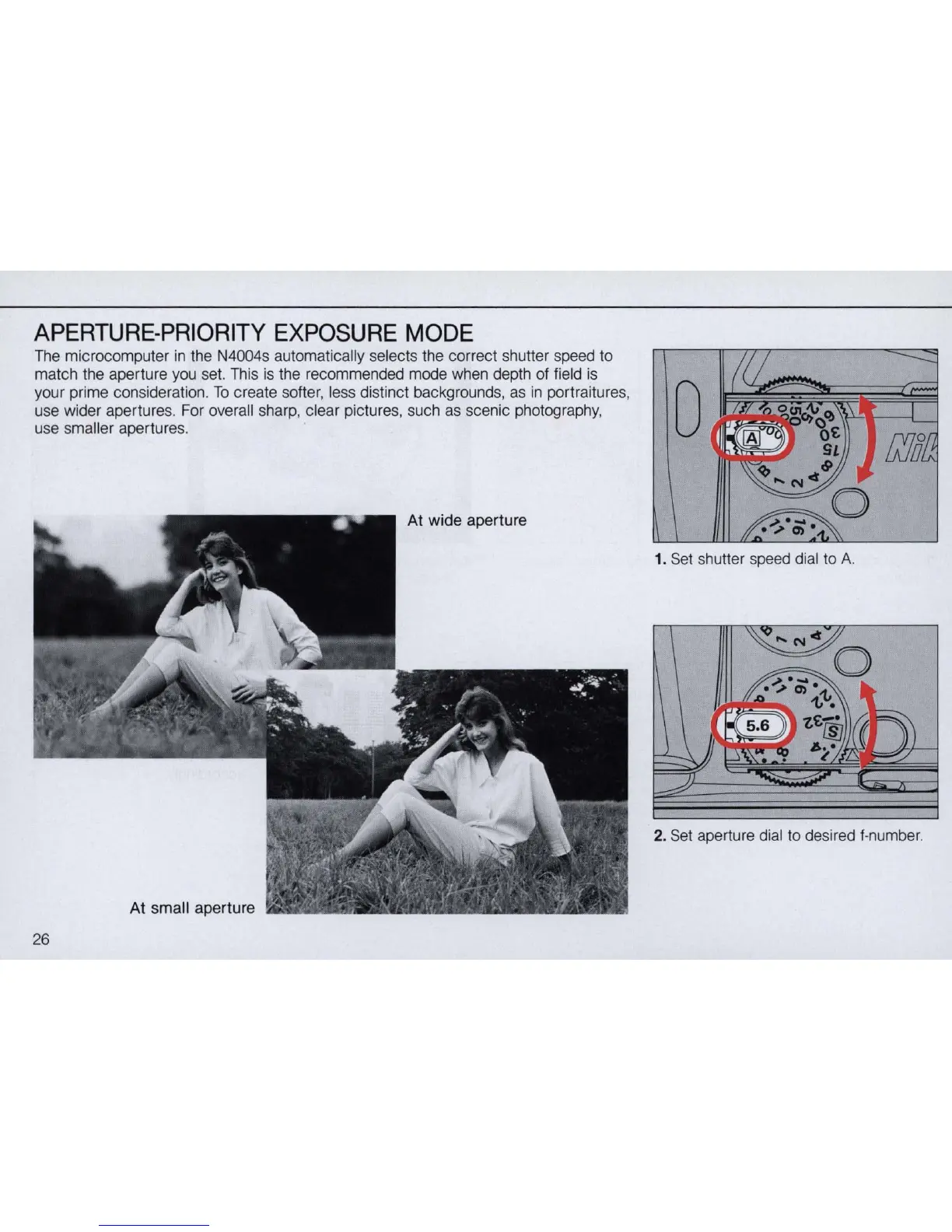
The microcomputer
in
the N4004s automatically selects the correct shutter speed to
match the aperture you set. This
is
the recommended mode when depth of field
is
your prime consideration.
To
create softer, less distinct backgrounds, as
in
portraitures,
use wider apertures. For overall sharp, clear pictures, such as scenic photography,
use smaller apertures.
At
wide
aper
tur
e
At small aperture
26
1. Set shutter speed dial to A.
2. Set aperture dial to desired f·number.


 To Next Page