EasyManua.ls Logo

Nikon Nikkormar FT3 - Setting the Shutter Speed; Setting the Aperture

Nikon Nikkormar FT3
32 pages
Print Icon
To Next Page IconTo Next Page
To Previous Page IconTo Previous Page
Loading...
Setting the Shutter Speed
Shutter
speeds are
controlled
by
a ring
around
the
base
of
the
bayonet
mount
rather
than
the
usual
dial
on
top
of
the
camera
body.
To
set
the
shutter
speed,
grasp
the
lever
and
turn
the
ring until
the
desked
speed
appears
next
to
the
indicator
dot
on
the
front
of
the
camera
body.
For
added
convenience
when
measuring
exposure,
the
shutter
speed
in use as well as
the
next
highest
and
lowest speeds
appear
in
the
bottom
of
the
viewfinder, so
the
shutter
speed
can
be
adjusted
while observing
the
exposure
meter
needle.
Click-stopped settings for
shutter
speeds
from
1/1000
to
1
second
plus
"B"
are engraved
on
the
shutter-
speed ring.
At
the
"B"
(bulb) setting,
the
shutter
remains
open
as long as
the
shutter
release
button
is
depressed.
Note:
Intermediate
shutter-speed
settings are
not
recom-
mended
except
in
the
1/250
to
1{1000
second
range.
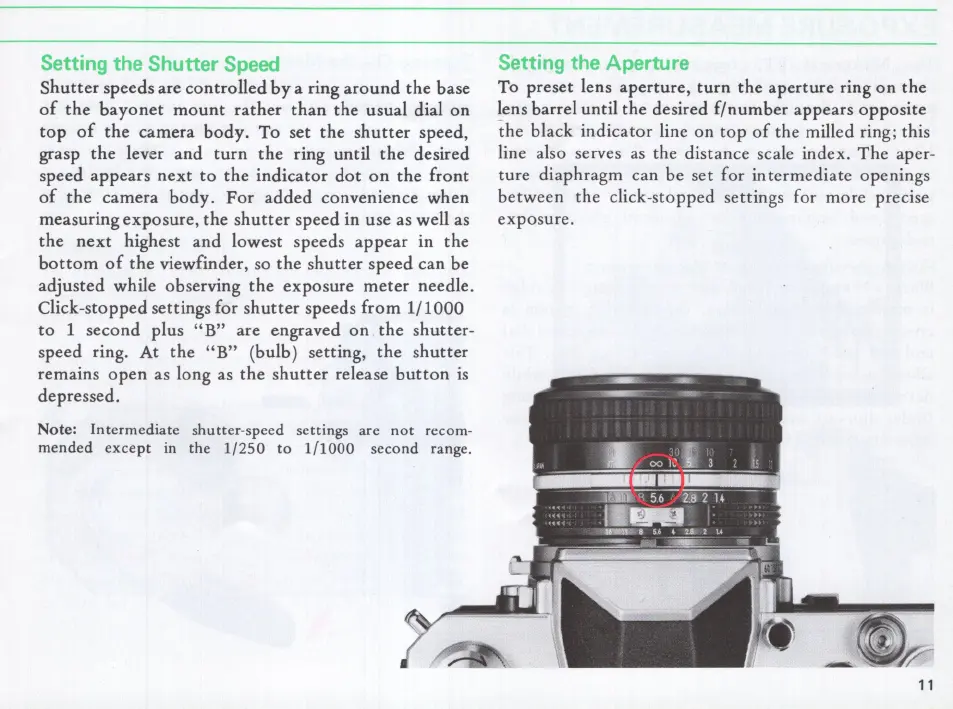
Setting the Aperture
To
preset lens
aperture,
turn
the
aperture
ring
on
the
~ens
barrel
until
the
desired
f/number
appears
opposite
the
black
indicator
line
on
top
of
the
milled ring; this
line also serves
as
the distance scale index.
The
aper-
ture
diaphragm
can be set for in
termediate
openings
between
the
click-stopped settings for more precise
exposure
.
11

Related product manuals