28
E
1
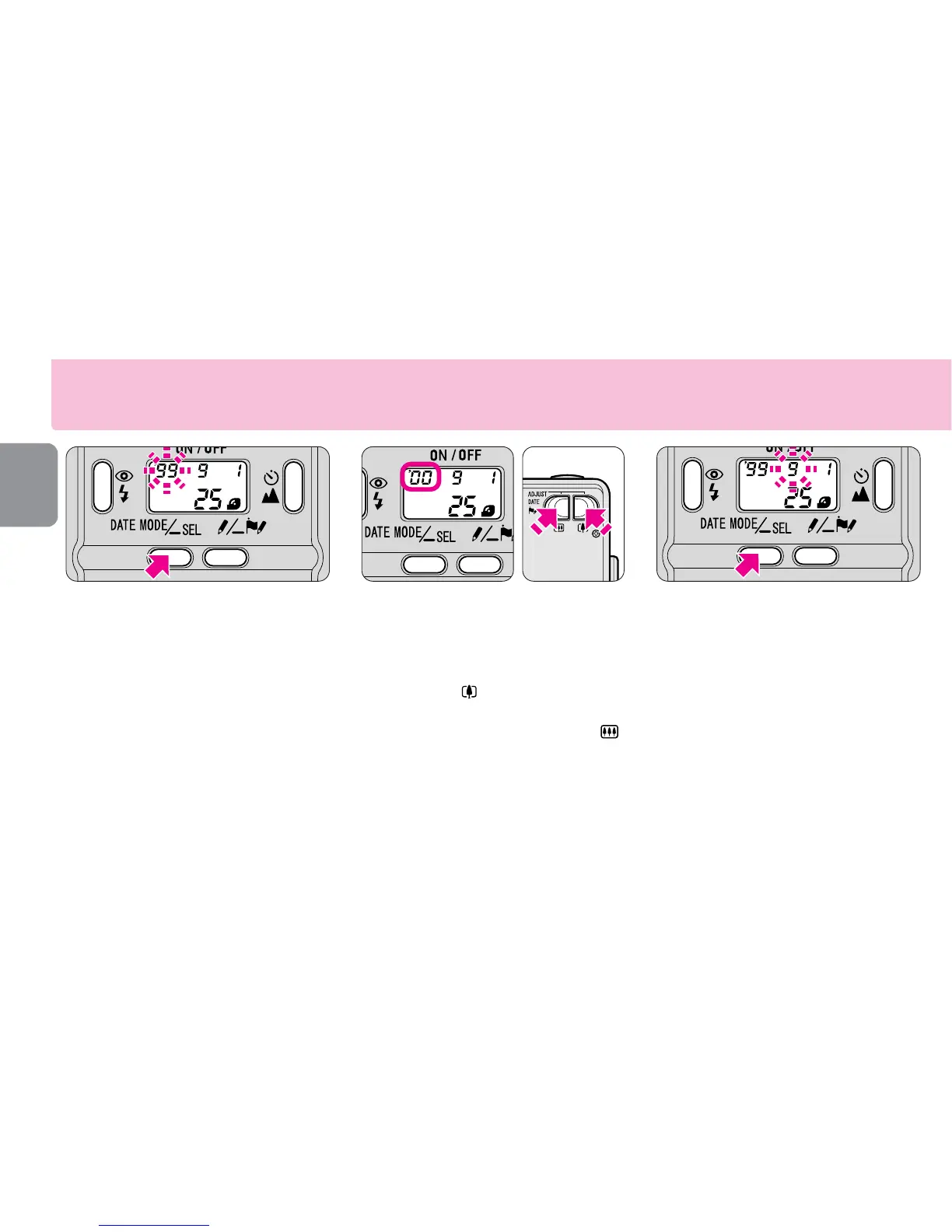
Entering the setting mode
▼ Press the DATE MODE button
for more than 2 seconds.
•The “year” section starts blinking.
2
Setting the “year”
▼ Press the ADJUST DATE (zoom)
button to set the correct year.
•Each time the button is pressed, the
number increases by one, while the
number decreases by one when the
button is pressed.
•Pressing the ADJUST DATE (zoom)
button continuously for more than 2
sec. changes the number quickly.
3
Setting the “month”
▼ Press the SEL button. The
“month” section starts blinking.
▼ Press the ADJUST DATE button
to set the correct month.
▼ Press the SEL button.
•Repeat procedures 2 and 3 to set the day,
hour and minute.
Setting the date and time











 To Next Page