E
9
2
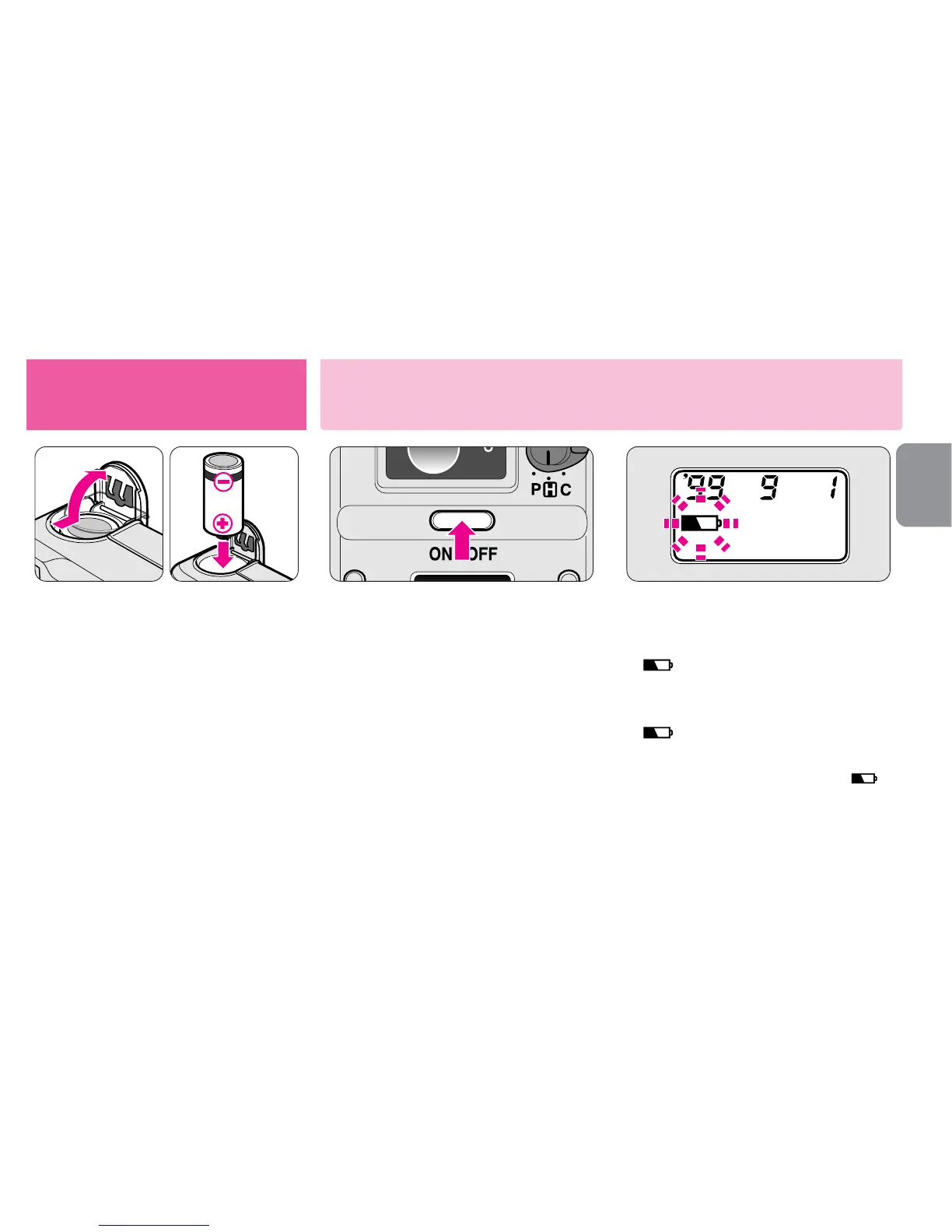
Press the power button to
turn the camera on.
•The lens cover automatically opens and
the lens moves out to the W (wide-
angle) position. When film is loaded,
the ISO film speed and the original
number of frames appear for approx.
2 sec. on the LCD panel.
•When the camera is not used for
approx. 3 minutes, the camera turns off
automatically.
Getting started
Installing the battery/Checking battery power
3
Check battery power.
•Battery power
appears: Battery is nearly
exhausted. Have a fresh
set ready.
blinks: Battery is exhausted.
Replace the battery.
•If a low battery power indicator “ ”
does not appear, battery power is full.
1
Install the battery.
▼ Slide the battery chamber lid in
the direction of the arrow to
open.
▼ Install one 3V lithium battery
CR2 inside the battery chamber.
▼ Close the battery chamber lid.
•Reset the date and time, when the battery is
replaced and the current data returns to the
initial setting. (-PP. 28-29)











 To Next Page