4544
TTL Auto Flash Mode: For F4-Series, F-801/N8008 and F-801s/N8008s Users
Chapter
3
Confirming Settings
9
Look into camera viewfinder, compose and lightly press the shutter release
button.
Use AE-L (Auto Exposure Lock) on the camera to capture exact exposure infor-
mation for your picture composition (except when in manual exposure mode).
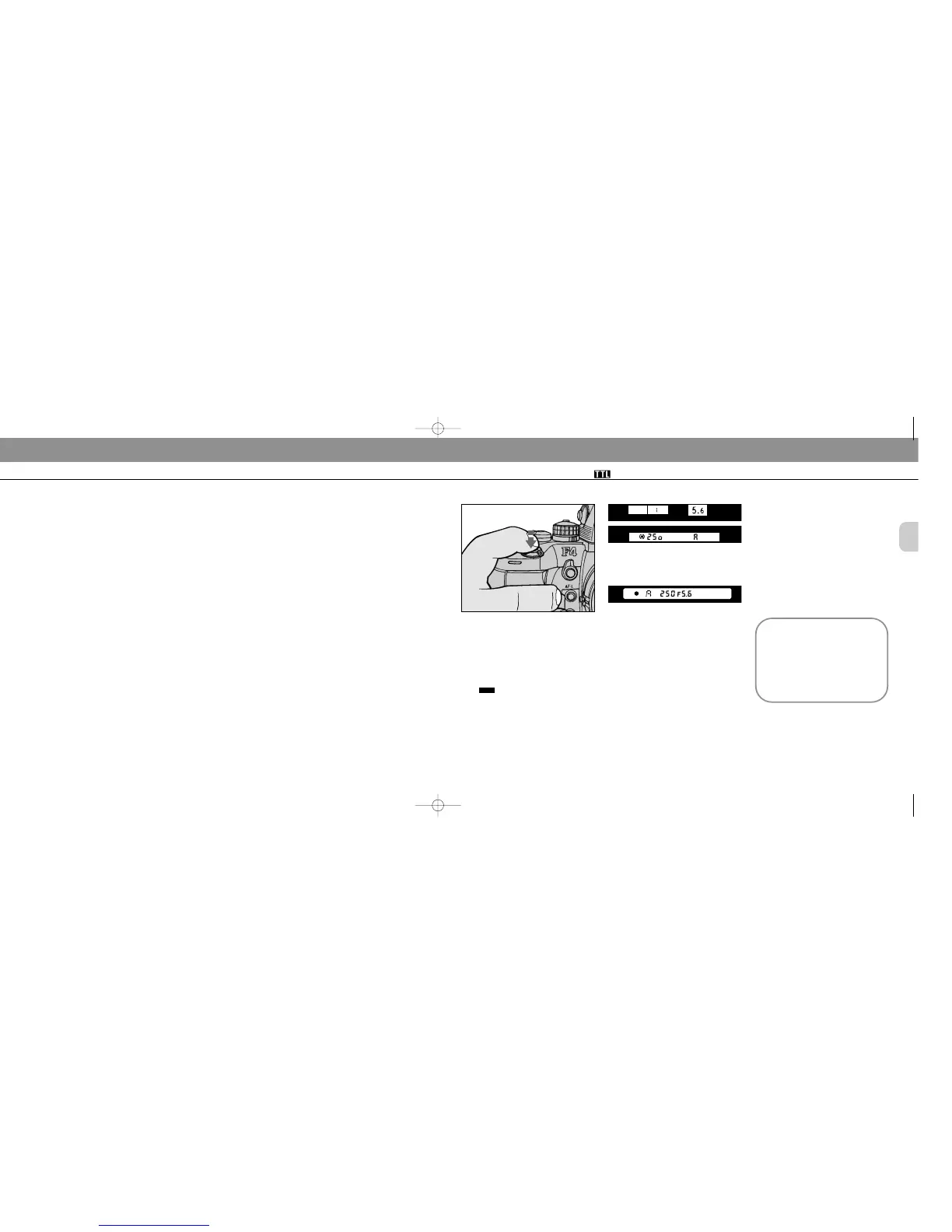
Confirm controlled aperture and check that the shutter speed falls between 1/60
sec. and 1/250 sec. With F-801/N8008 or F-801s/N8008s, these also appear in
the camera’s LCD panel.
The aperture in use (shown in the viewfinder) and shooting distance indicator
bars appear in the SB-25’s LCD panel.
Setting Up Your Camera
6
Select one of the following exposure modes:
a. Programmed auto (either P, P
H, P
H
or PD
)
b. Shutter-priority auto (S)
c. Aperture-priority auto (A)
d. Manual (M)
7
Select a metering system:
a. Matrix metering system to perform Matrix Balanced
Fill-Flash.
b. Center-Weighted metering system to perform
Center-Weighted Fill-Flash.
c. With the F-801s/N8008s, Spot metering system to
perform Spot Fill Flash.
d. Any metering system can be chosen to perform
Standard TTL Flash.
8
Perform other settings:
a. For programmed auto, set lens to minimum aperture
(highest f-number).
b. For shutter-priority auto, set lens to minimum aper-
ture (highest f-number), then set desired shutter
speed*.
c. For aperture-priority auto, set desired aperture.
d. For manual exposure mode, set desired shutter
speed* and aperture.
* Camera automatically shifts to the fastest synchronization speed if you choose
a speed that is not within the synchronization range.
F4-Series
F-801/N8008 and F-801s/N8008s
Overexposure warning (back-
ground exposure)
For overexposure alert, HI
appears (together with lens’ mini-
mum aperture for the F-801/
N8008 and F-801s/ N8008s). in
the position that indicates the
camera’s shutter speed.
SB-25_En 03.1.14 8:18 PM Page 44














 To Next Page