18
En
How to use the SD-9
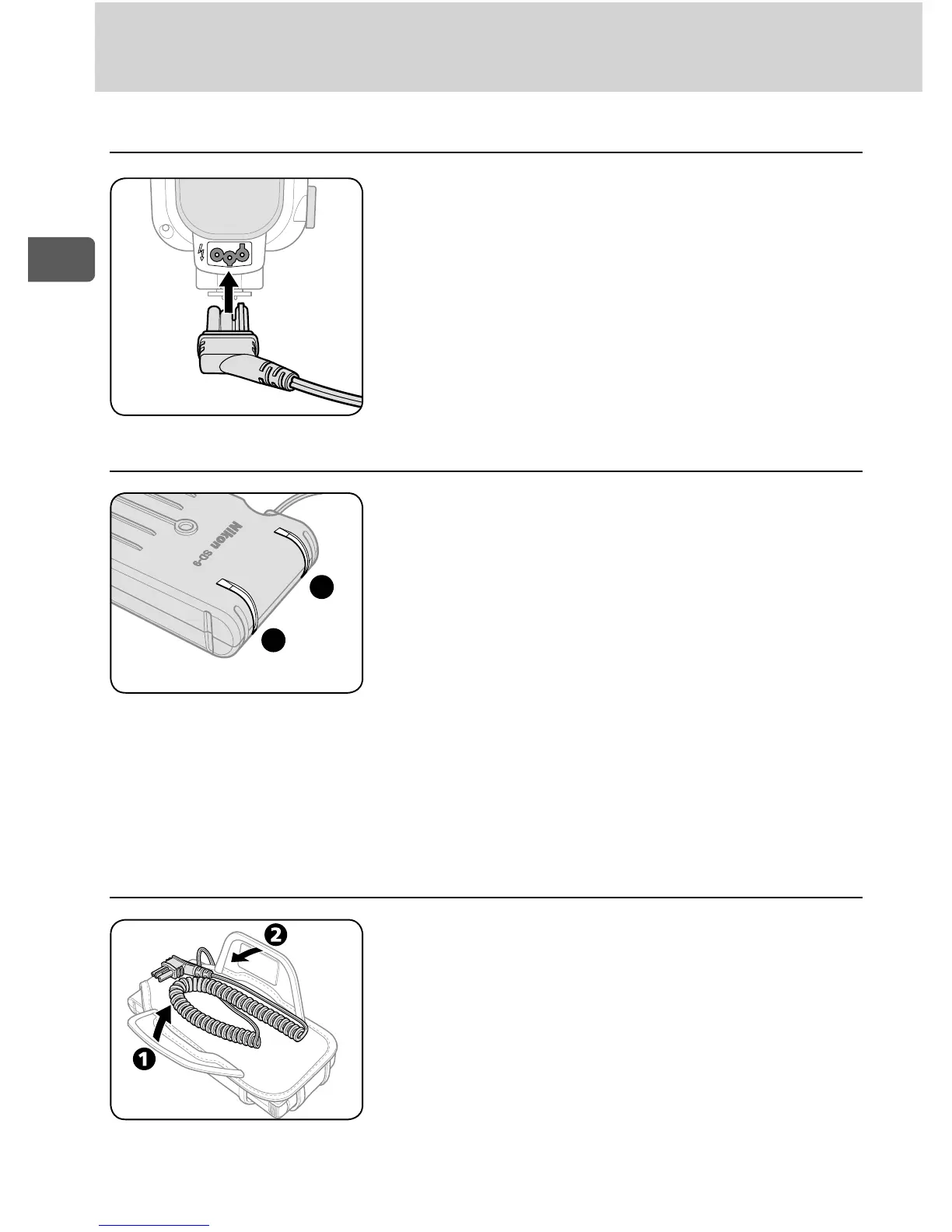
Hooking the SD-9 up to the SB-900 ■
Ready-light ■
Casing the power cord ■
Plug the 3-pin plug of the SD-9’s power
cord into the SB-900’s external power
source terminal.
Case the SD-9's power cord to the SD-9
body as shown in the figure.
Each of two ready-lights (A and B) lights up •
for each circuit.
When the SB-900’s power is on, the SD-9 •
starts to charge the power in sync with the
SB-900, and the ready-light lights up in red.
The ready-light goes off when the power
charge is completed.
The ready-light blinks in red when there •
is danger of the SD-9 overheating because
of its repeating flash operation (power
charge does not start). It stops blinking
when the SD-9 is cooled down to normal
temperature (power charge is available).


 To Next Page