EasyManua.ls Logo

Nikon WR-R11a - User Manual

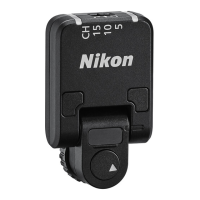
Nikon WR-R11a
60 pages
Print Icon
To Next Page IconTo Next Page
Loading...
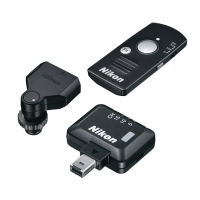
WR-R11a
WR-R11b
WR-T10
Reference Manual
Wireless Remote Controller
• Read this manual thoroughly before using the product.
• To ensure proper use of the product, be sure to read
“For Your Safety” (page ix).
• After reading this manual, keep it in a readily accessible
place for future reference.
En
Question and Answer IconNeed help?

Do you have a question about the Nikon WR-R11a and is the answer not in the manual?

Summary

What the WR-R11 a;WR-R11 b Can Do for You

Remote Release with the WR-T10

Controls a camera using WR-T10 transmitter.

Using the WR-R11 a;WR-R11 b with SB-5000 Flash Units

Controls SB-5000 flash units remotely via radio.

Advanced Use

Technical Notes

For Your Safety

Getting Started

Attaching the WR-R11 a;WR-R11 b (Transceiver)

Using the WR-R11 a;WR-R11 b with the WR-T10: The Basics

Pairing the WR-R11 a;WR-R11 b and WR-T10

Step-by-step guide for pairing the controllers with the WR-T10.

Taking Pictures

How to use the WR-T10 to take pictures after pairing.

Applications for the WR-R11 a;WR-R11 b and WR-T10

Simultaneous Release with the WR-T10

Using WR-T10 to trigger multiple cameras simultaneously.

Synchronized Release with the WR-R11 a; WR-R11 b

Establishing synchronized release between cameras using WR-R11a/WR-R11b.

Pairing

Process for pairing WR-R11a/WR-R11b controllers with each other.

Pair the devices

Steps to pair multiple WR-R11a/WR-R11b controllers.

Take pictures

How to take pictures once devices are paired.

PIN

Channel Selection

Specifications

Nikon WR-R11a Specifications

General IconGeneral
InterfaceRF Wireless
CompatibilityNikon Speedlight SB-700, Speedlight SB-500, Speedlight SB-5000, D4S, D810, D850, D5, D500, D6
Product colorBlack
Suitable for smartphone-

Related product manuals