5
• Please make sure the camera is turned off before plugging/
unplugging the HDMI cable.
• A cable clip is recommended to prevent the HDMI cable from
being accidentally detached.
• If the image is not displayed on the Ninja V monitor, please
check the HDMI cable connections.
Note:
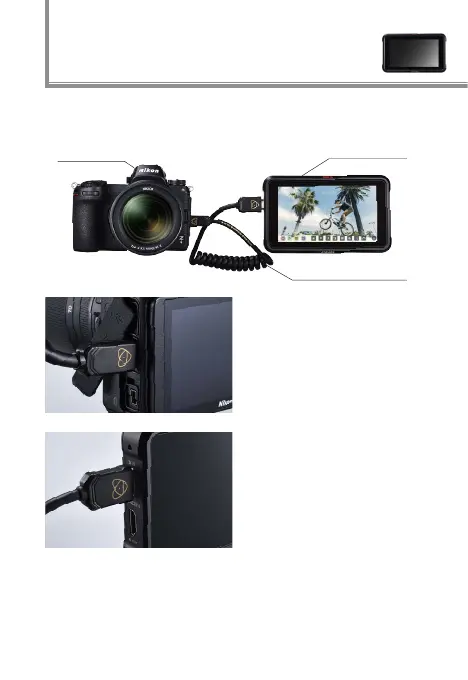
Connect an HDMI cable
to the camera’s HDMI
connector
Connect the other end to
the Ninja V HDMI video
input
Connecting the camera with the
Atomos Ninja V
RAW video output settings 1
Ninja V
Z 7 / Z 6
HDMI cable



 To Next Page