
 Need help?
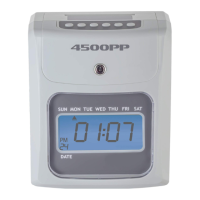
Do you have a question about the Nile 4500PP and is the answer not in the manual?
Explains the function of each button on the time clock.
Explains display indicators and their relation to button functions.
Configure the current year setting for the time clock.
Configure the current month and day settings.
Set AM/PM or 24-hour time format for display and printing.
Configure the current hour and minute settings.
Define how minutes are printed on time cards (standard or hundredths).
Configure automatic Daylight Saving Time adjustments.
Select the desired pay period frequency (weekly, bi-weekly, semi-monthly).
Define the first day or date of the pay period.
Set the time for advancing to the next day/row on the time card.
Choose rounding rules for punches (e.g., nearest 5, 10, 15 minutes).
Define the number of hours before daily time is considered overtime.
Guard against forgotten punches by setting a maximum interval.
Adjust the vertical print position on time cards.
Adjust the horizontal print position on time cards.
Solutions for issues where the time card does not feed correctly.
Causes and solutions for when the time clock does not print.
Troubleshooting problems related to print quality.
Restores the time clock to its default factory settings.
 General
| Brand | Nile |
|---|---|
| Model | 4500PP |
| Category | Time Clocks |
| Language | English |

 To Next Page