17
APP AND ANDROID AND IOS FUNCTIONS
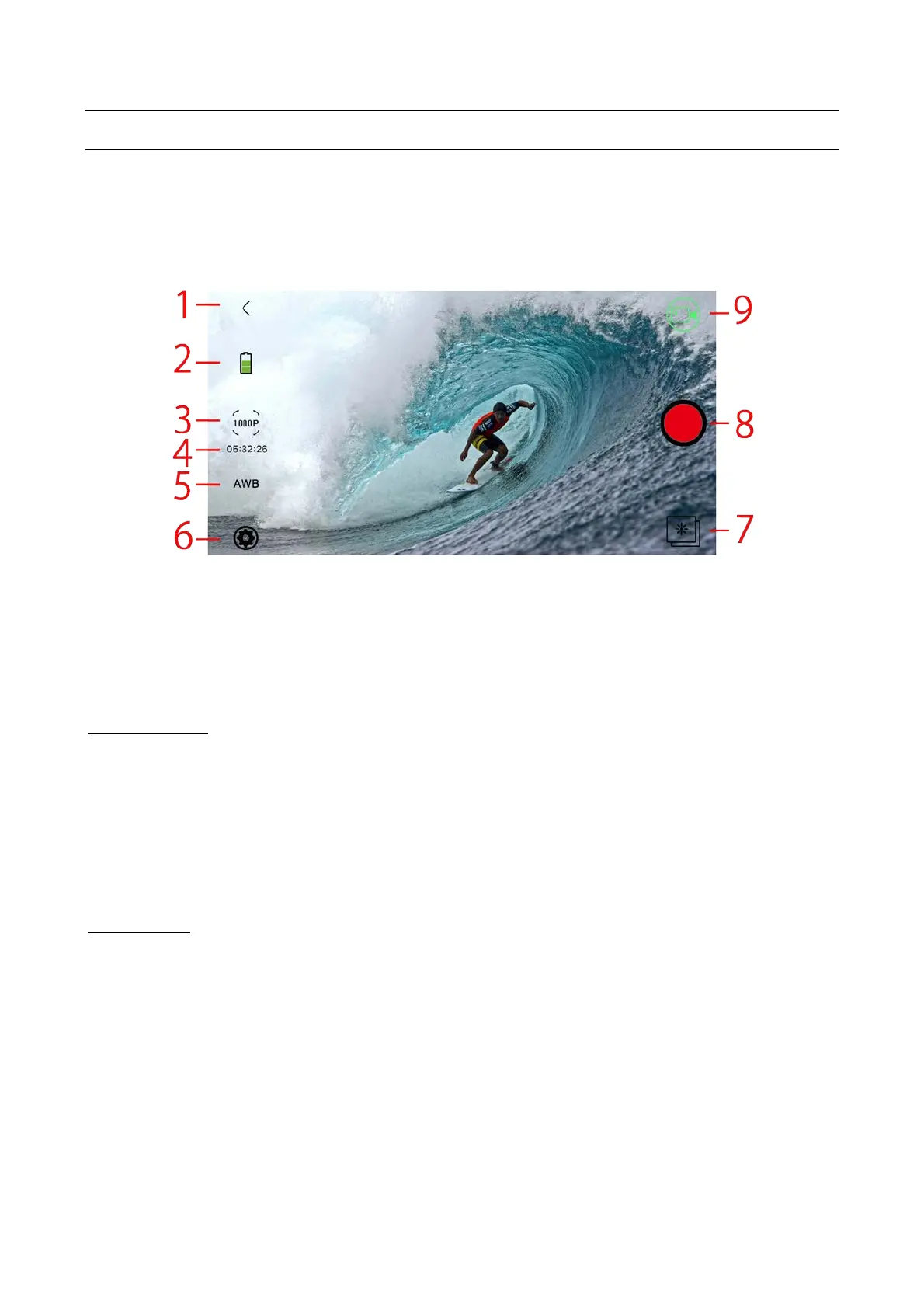
Once the F-60 RELOADED + and Smartphone are connected and you have started the application,
you can manage the cam from your smartphone or tablet.
Some settings are available from the IOS control screen and Android settings menu.
The display modes for Android and iOS are very similar.
The iOS mode follows.
2 Battery level.
3 Resolution.
4 Remaining video or shots.
5 White balance.
7 Viewing photos and videos.
8 Photo/video recording button.
9 Current mode.
BATTERY LEVEL
Shows the remaining charge.
NOTE: How long the battery lasts depends on the video resolution, the Wi-Fi
connection and the stability of the signal.
A very weak Wi-Fi signal drains the battery more quickly.
Under normal conditions with HD video resolution, the battery lasts about 1 hour; if
the Wi-Fi connection is not used, it will last more than twice that.
RESOLUTION
Lets you set the resolution: video in a video environment and photo in a photo environment.
Video resolution:
• 1920x1080 60fps, 1920x1080 30fps 1280x720 120fps.
Photo resolution:
• 16M, 12M, 8M, 5M, 4M.



 To Next Page