OVERVIEW
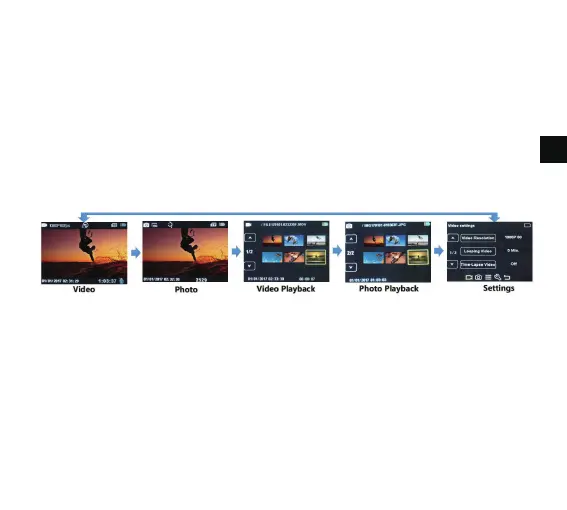
Turn camera ON and repeatedly press the Power/Mode Button to move through the camera
modes and settings. The modes will appear in following order:
SETTINGS
Repeatedly press the Power/Mode Button for the Setting Menu, use the UP or Down Button
to move through the various options and press the Ok/Shutter Button to select the desired
option.
Video Setting:
Video Resolution: EIS 4K30, EIS 2.7K30, EIS 1080P60, EIS720P120
Looping Video: Off/1 Min/3 Mins/5 Mins
EN
5
To power OFF:
Press and hold the Power/Mode Button for a few seconds to switch off the screen.



 To Next Page